
Changelog
Changelog is the source for the latest updates on our cloud platform. Stay informed about changes, enhancements, and new features that impact your experience. Explore our summaries to stay ahead and make the most of our platform's capabilities.
Kubernetes v1.33 now available
We are pleased to announce the renewal of our Kubernetes certification on v1.33 and the availability of Kubernetes v1.33 on UpCloud's Managed Kubernetes Service (UKS).
What's New
New alpha and beta features along with improvements that are now stable. For a comprehensive changelog, please refer to the official Kubernetes 1.33 release notes.
Deployment Options
You can deploy Kubernetes 1.33 clusters through the following methods:
- Create a new cluster via the UpCloud Control Panel
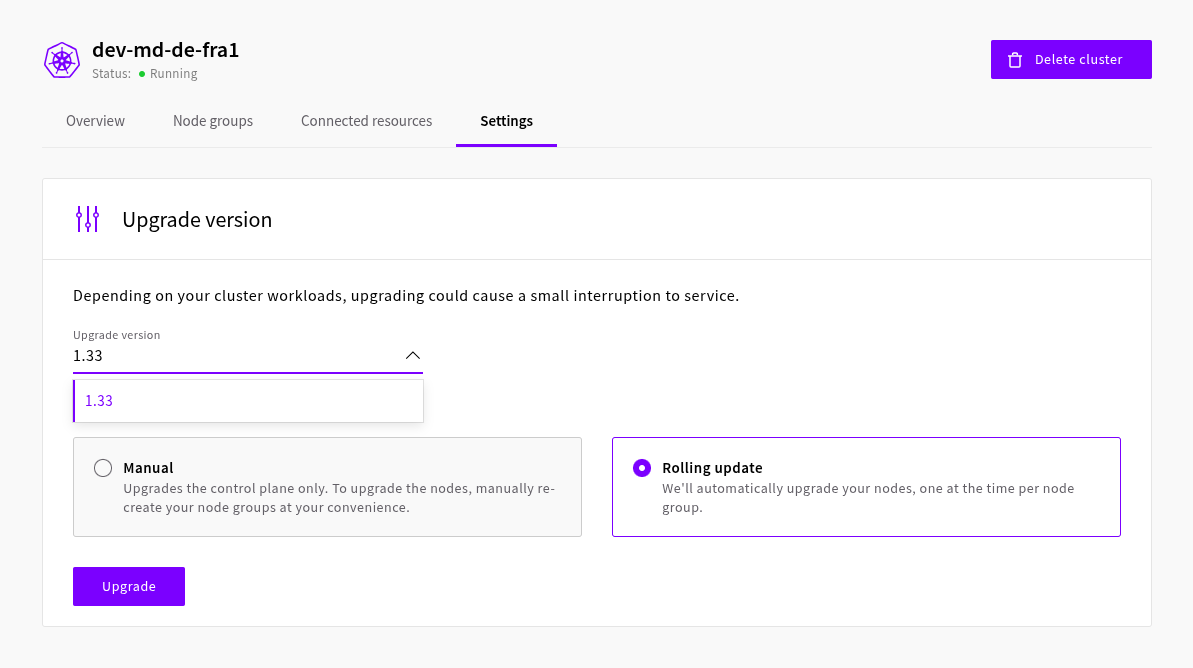
- Upgrade an existing cluster to Kubernetes v1.33 through UpCloud Hub or through the UpCloud API.
Important Notes
- The managed upgrade feature is available only for clusters running Kubernetes 1.30 or newer.
- When upgrading Kubernetes versions, you must upgrade one minor at the time. For example, when upgrading from Kubernetes v1.31 to v1.33, first upgrade to v1.32 and then to v1.33.
Kubernetes is a registered trademark of The Linux Foundation.
Zero-downtime storage management
We're excited to announce a major upgrade to how you manage storage for your Cloud Servers. You can now resize, attach, and detach storage volumes on a running Cloud Server without requiring a server reboot or any service interruption.
This enhancement means you can instantly adapt to scaling demands by expanding existing volumes or attaching new ones, all while your applications remain fully operational.
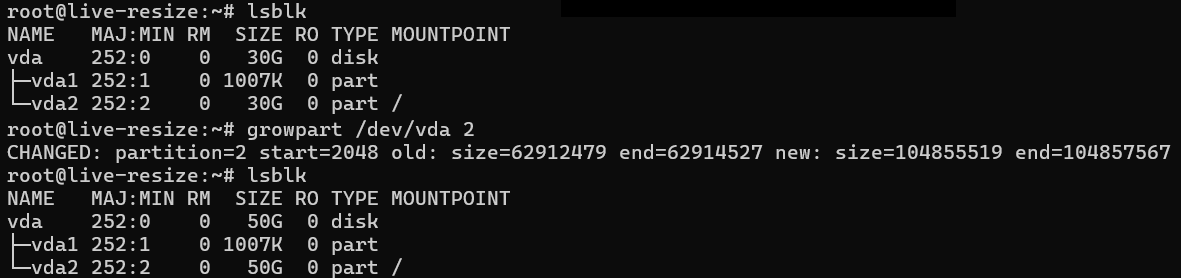
This new storage flexibility perfectly complements the existing capability to hot-resize CPU and memory. Now, you have complete dynamic control over your running servers, letting you instantly adapt all server resources to scaling demands and changing workloads.
Read more about resizing Cloud Servers CPU, memory, and storage
API Tokens Management in Hub
We have introduced API Tokens as a new, more secure way to authenticate with the UpCloud API.
API Tokens allow you to generate secure credentials that can be easily managed without sharing your account password. With token-based access, you can:
- Improve security by creating tokens that can be easily revoked or automatically expire.
- Simplify automation by using tokens in scripts, integrations, and third-party tools.
- Maintain control by viewing and managing all active tokens directly in the Hub.
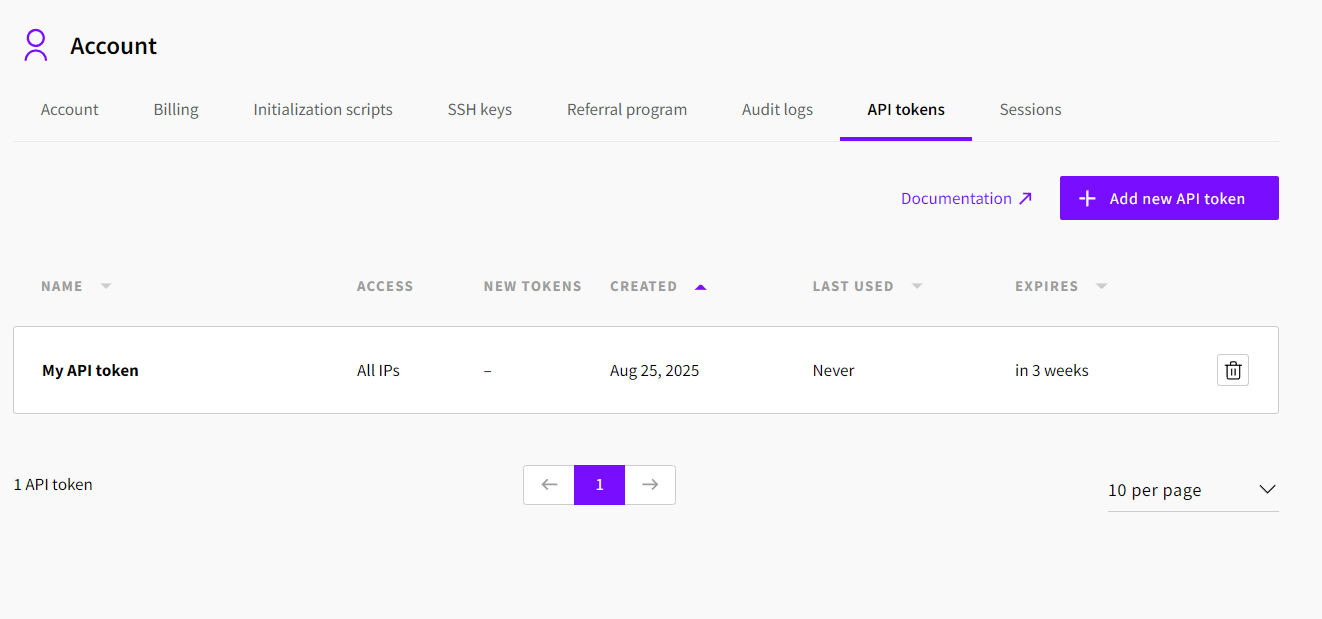
You can now generate, view, and revoke tokens conveniently in the UpCloud Control Panel, giving you full visibility and control over your API access. This makes it easier to follow best practices for security and access management.
To learn more, read our API Tokens documentation
Kubernetes v1.32 now available
We are pleased to announce the renewal of our Kubernetes certification on v1.32 and the availability of Kubernetes v1.32 on UpCloud's Managed Kubernetes Service (UKS).
What's New
For comprehensive information about new features and improvements, please refer to the official Kubernetes 1.32 release notes.
Deployment Options
You can deploy Kubernetes 1.32 clusters through the following methods:
- Create a new cluster via the UpCloud control panel
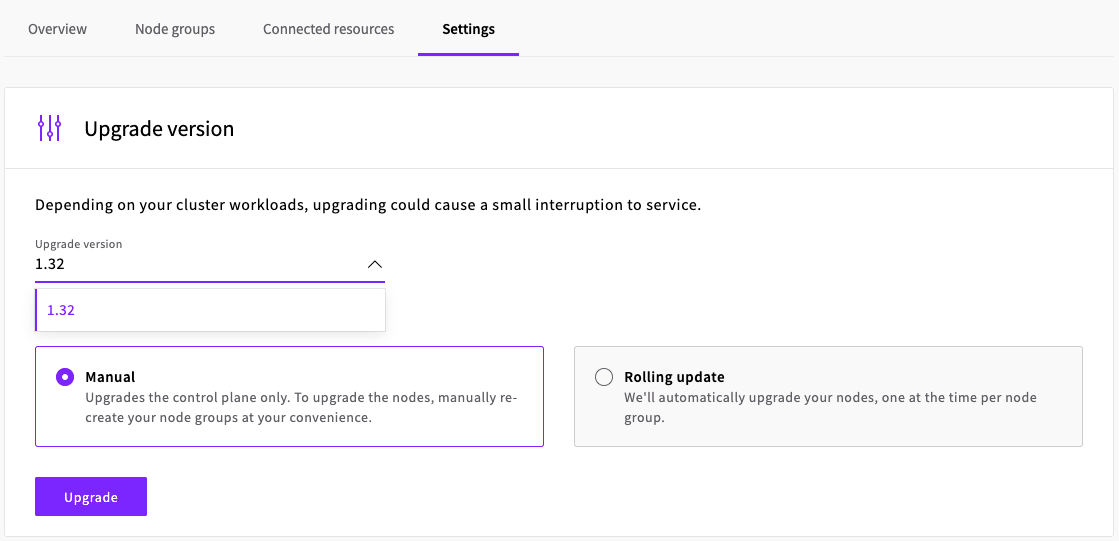
- Upgrade an existing cluster to Kubernetes v1.32 through UpCloud Hub or through the UpCloud API.
Important Notes
- The managed upgrade feature is available only for clusters running Kubernetes 1.30 or newer.
- When upgrading Kubernetes versions, you must upgrade one minor at the time. For example, when upgrading from Kubernetes v1.30 to v1.32, first upgrade to v1.31 and then to v1.32.
Kubernetes is a registered trademark of The Linux Foundation.
GPU Servers are now available
Announcing the launch of GPU Servers, powered by NVIDIA L40S GPUs! You can now deploy high-performance cloud servers with dedicated GPU resources - perfect for AI/ML, data science, rendering, and other compute-intensive workloads.
- Choose from flexible CPU and RAM combinations to suit your workload.
- Deploy servers with 1, 2, or 3 NVIDIA L40S GPUs per server.
- Available now in our FI-HEL2 (Helsinki, Finland) data centre, with more locations coming soon.