
Changelog
Changelog is the source for the latest updates on our cloud platform. Stay informed about changes, enhancements, and new features that impact your experience. Explore our summaries to stay ahead and make the most of our platform's capabilities.
Introducing UpCloud Essentials
UpCloud Essentials is now available to all customers, providing free access to a collection of foundational cloud tools. This initiative removes barriers, helping you build, scale, and innovate more easily without extra charges for essential services.
UpCloud Essentials includes:
Managed Load Balancer: Maintain high availability and seamless traffic distribution with 1 free node supporting up to 1,000 sessions.
Managed Kubernetes (UKS) control plane: Simplify container orchestration and deployment for clusters with up to 30 worker nodes.
NAT & VPN Gateway: Secure your network and manage network address translation with 1 node supporting up to 1 tunnel (100 Mbps bandwidth and 10,000 max connected clients).
Zero data transfer fees: Eliminate unexpected network transfer costs impacting your monthly bills, enabling predictable pricing and budgeting.
These essential tools and services are available as part of the UpCloud platform, helping you build robust applications and manage your infrastructure more cost-effectively.
Find out more about how UpCloud Essentials can power your projects.
Additional disk space for managed databases
You can now scale your database storage on demand with our new additional disk space feature for managed databases. This new feature is available for MySQL, PostgreSQL, and OpenSearch services and lets you expand storage capacity without service downtime when your data grows beyond your initial plan allocation.
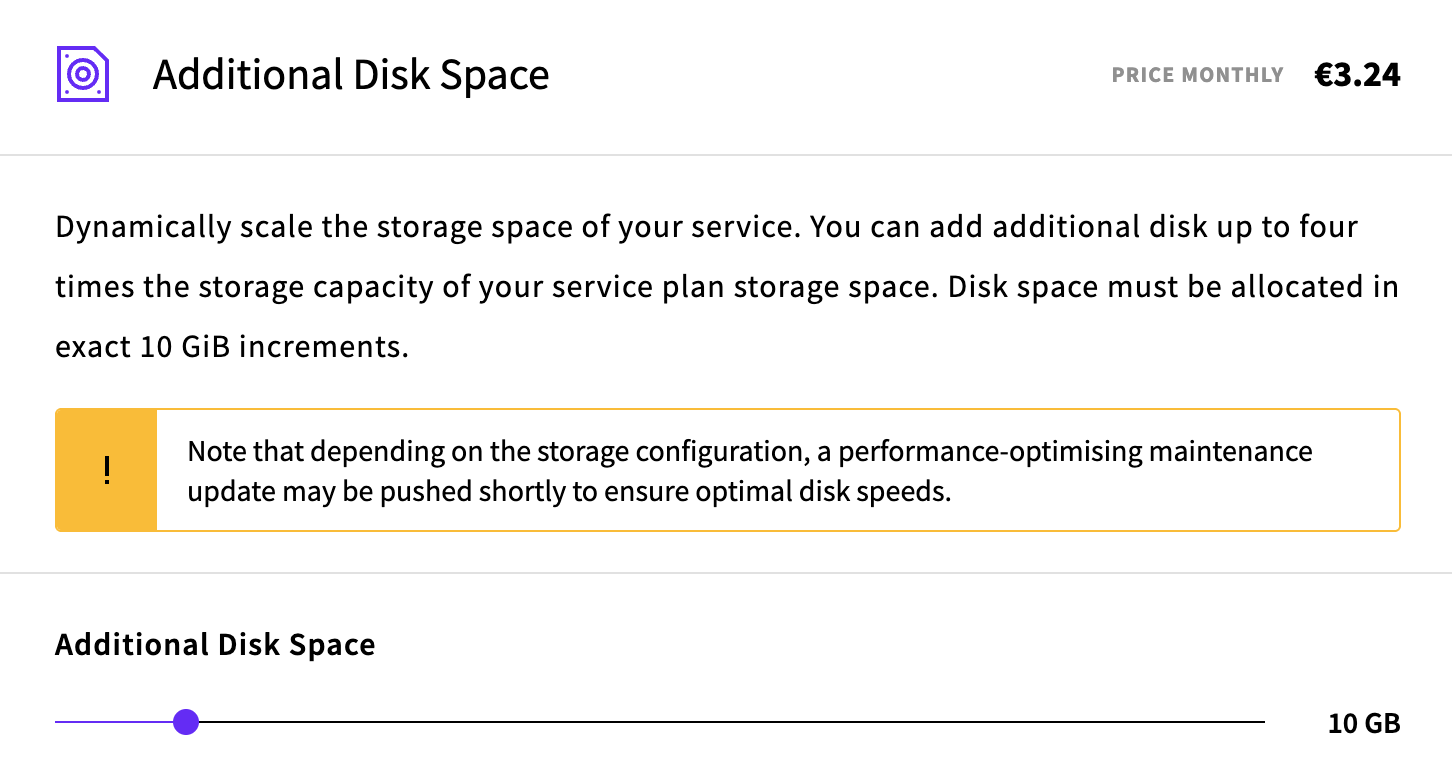
With additional disk space, you can:
- Scale storage seamlessly: Increase disk space for existing services or configure additional storage during service creation.
- Maintain uptime: Storage expansion happens without interrupting your database operations.
- Plan for growth: Add storage in flexible 10 GiB increments up to 4× your base plan capacity.
- Reduce storage: Scale down when needed to optimize costs.
This feature is available now for MySQL, PostgreSQL, and OpenSearch managed database services through the UpCloud control panel, letting you adapt your storage as your data requirements evolve.
Kubernetes v1.31 now available
We are pleased to announce the renewal of our Kubernetes certification on v1.31 and the availability of Kubernetes 1.31 on UpCloud's Managed Kubernetes service, along with streamlined upgrade capabilities either through UpCloud Hub or the UpCloud API.
What's New
For comprehensive information about new features and improvements, please refer to the official Kubernetes 1.31 release notes.
Deployment Options
You can deploy Kubernetes 1.31 clusters through the following methods:
- Create a new cluster via the UpCloud control panel
- Upgrade an existing cluster to Kubernetes v1.31 through UpCloud Hub or through the UpCloud API.
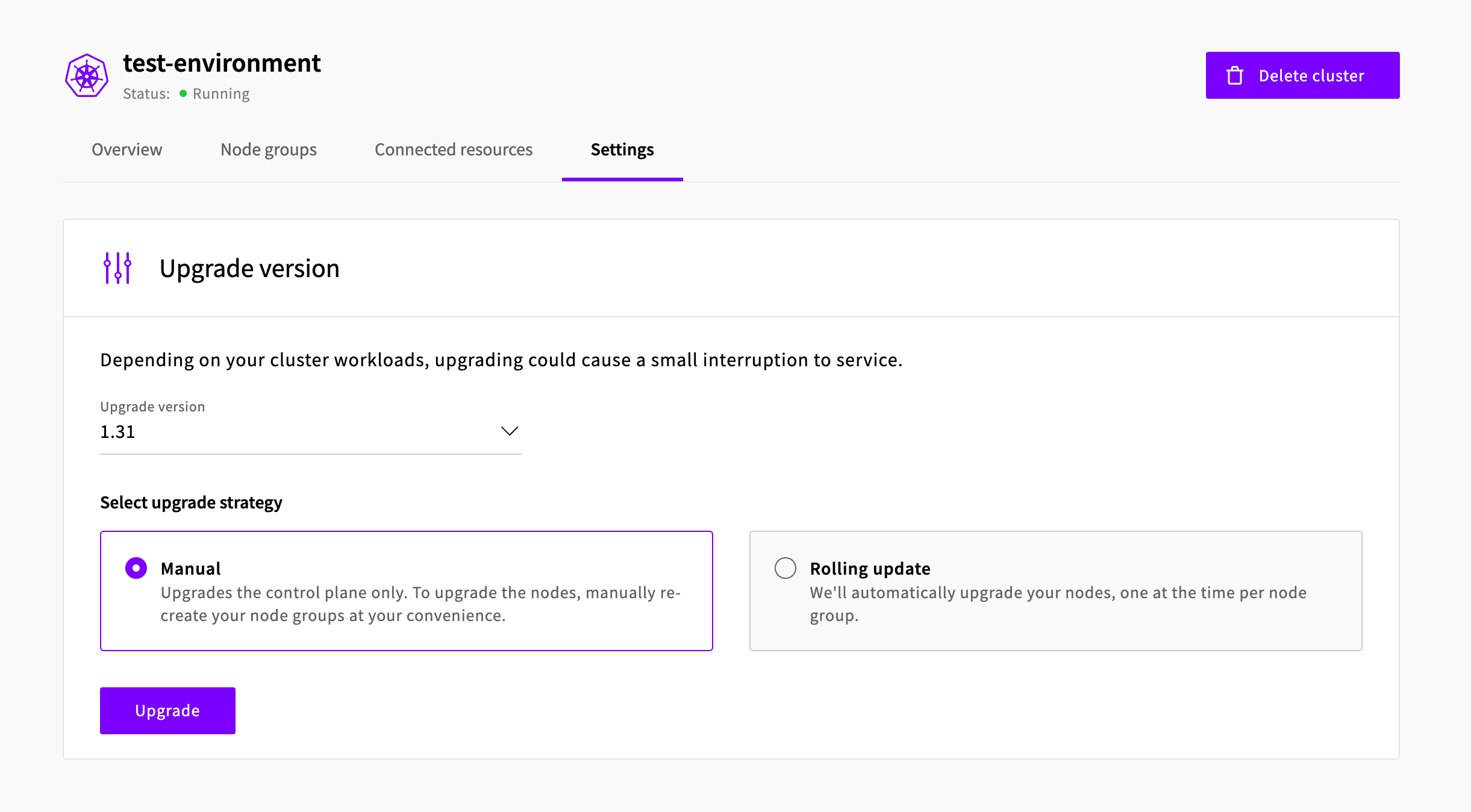
Important Note
The managed upgrade feature is available only for clusters running Kubernetes 1.30 or newer.
Kubernetes is a registered trademark of The Linux Foundation.
Object Storage file manager
Say hello to easier bucket access with the new file manager for our Object Storage service. This new feature provides an interface for handling your Object Storage content directly from the UpCloud control panel.
With the file manager, you can:
- Browse files: Navigate through your storage structure with ease
- Upload files: Add new content directly from the control panel
- Create directories: Organise your storage with custom directory structures
- Delete files: Remove unwanted files individually or in bulk
- Download files: Access your stored content directly without additional tools
This update simplifies Object Storage management, removing the need for third-party tools or command-line operations for common tasks. The file manager provides a faster way to work with your files be it media assets, backups, or application data.
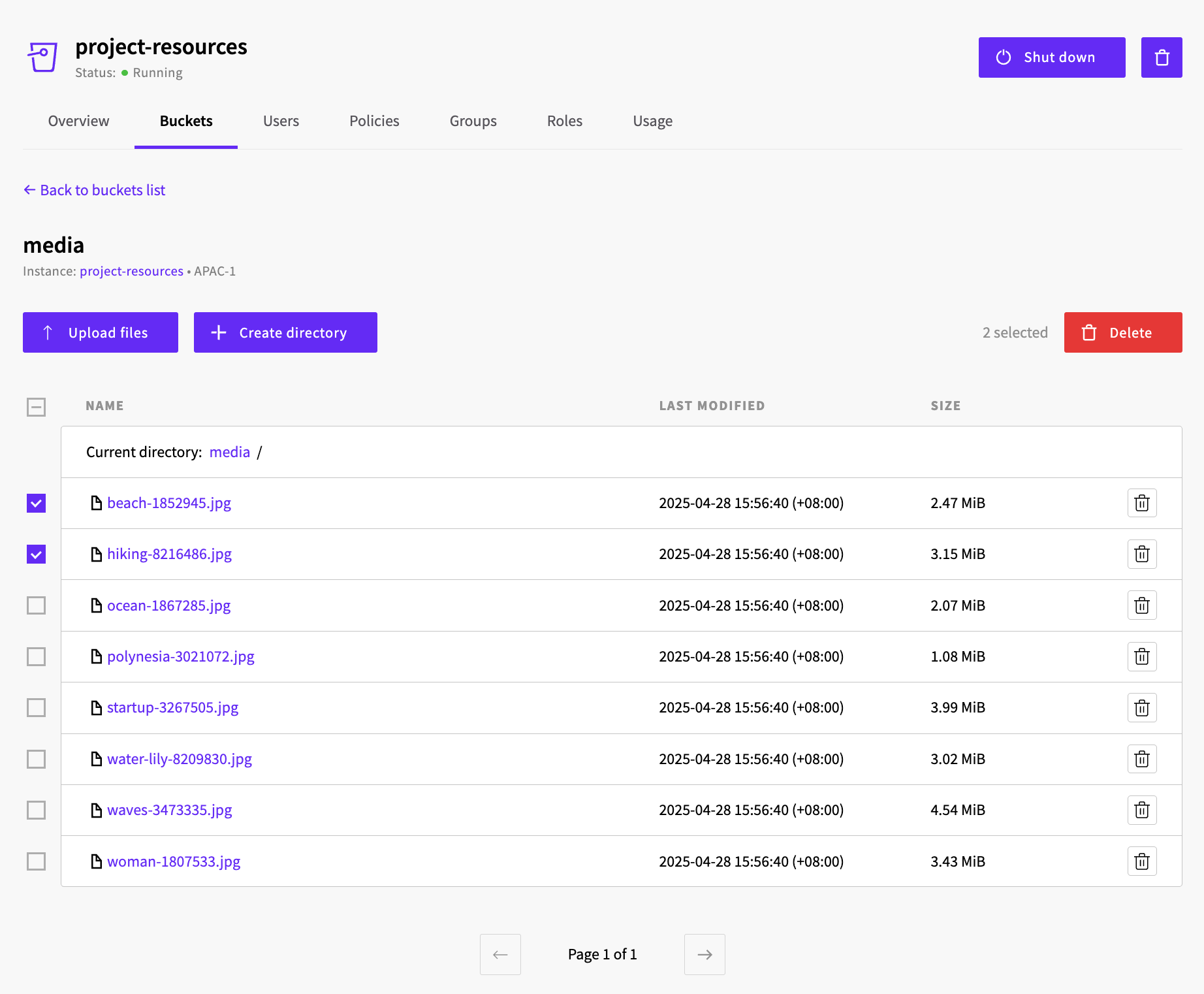
The file manager is available now for all users and can be found in the UpCloud control panel under the Object Storage buckets tab.
New hardware expands to Frankfurt & Warsaw
Following our initial deployment, we're happy to announce that our latest generation of hardware, featuring high-performance AMD EPYC™ Turin processors, is now available for new Cloud Server deployments in our de-fra1 (Frankfurt) and pl-waw1 (Warsaw) data centres.
Experience a significant 30-40% performance boost compared to previous generations on General Purpose and Cloud Native plans in these locations. Check Cloud Server Availability for details and deploy your next-gen server today in Frankfurt or Warsaw!