Manage workspaces
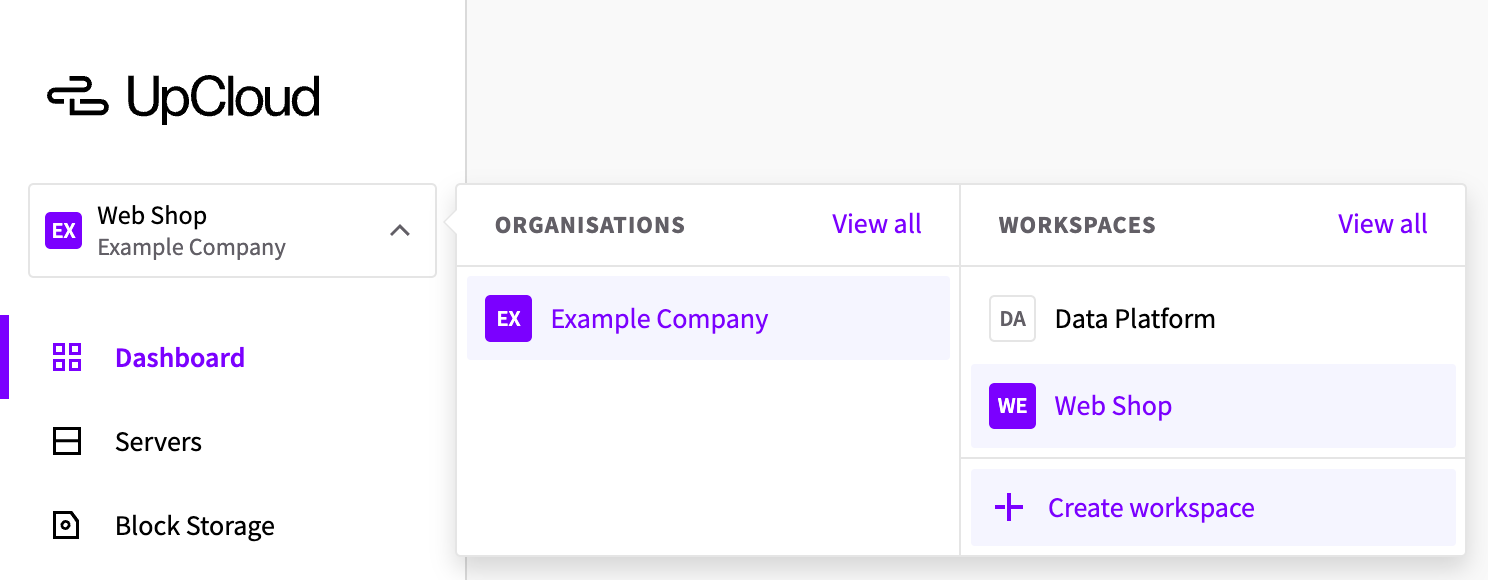
The workspace menu at the top left of the Control Panel, under the UpCloud logo, shows the workspace you're in and its organization. Click it to see your organizations and workspaces, switch between them and create workspaces.
Switch to another workspace
- Click the workspace menu.
- Under Workspaces, click the workspace you want to use.
The Control Panel then shows that workspace's resources, billing and settings.
To see all the workspaces you're a member of, with your access level in each, click View all next to Workspaces, or select Workspaces in your profile menu at the top right.
Create a workspace
Organization owners and admins can create workspaces. Create one for each project, environment or client that needs its own resources, budget and people, such as Web Shop and Data Platform.
- Click the workspace menu, then click Create workspace.
- Select the Organisation for the workspace and enter a Workspace name.
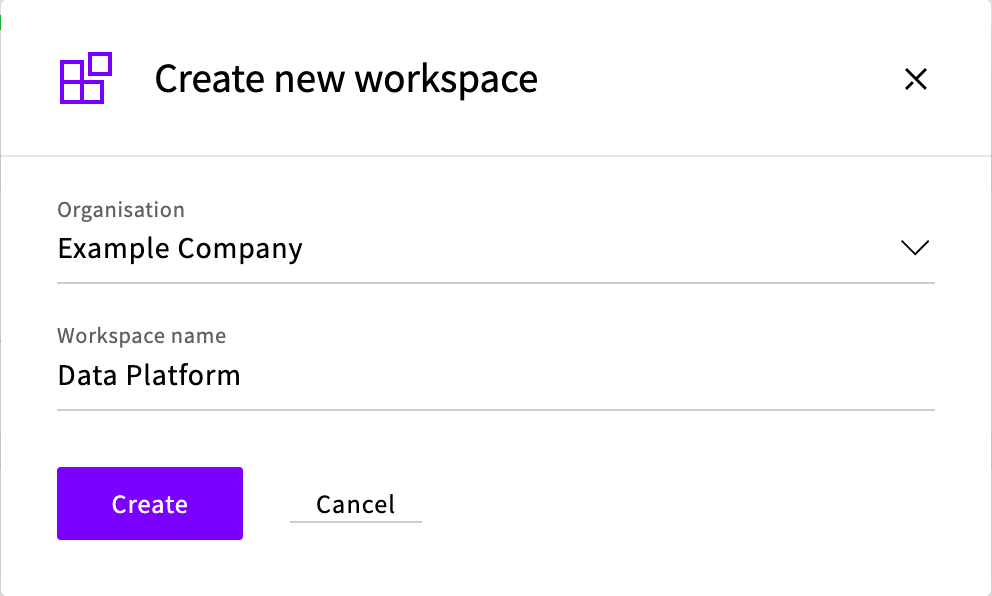
- Click Create.
The Workspaces page opens with the new workspace in the list. You stay in your current workspace, so switch to the new one to start using it. A new workspace starts with a balance of zero, and it can't use the credits of your other workspaces, so add funds to it before you deploy resources there. Then add the people who need it.
During the free trial, an organization can have one workspace. To create more, make your first payment in the workspace.
Change a workspace's settings
To open the settings of the workspace you're in, select Settings in your profile menu. For another workspace, hover over it in the workspace menu and click its Settings icon.
| Tab | What it has |
|---|---|
| Overview | The workspace's name and email, billing details, quotas, support chat and time zone, and Delete workspace |
| Billing | The workspace's balance, automated and one-time payments, saved cards and payment history |
| Members | The workspace's members and pending invitations |
| Initialization scripts | Scripts to run when you deploy Cloud Servers |
| SSH keys | SSH keys to add to Cloud Servers when you deploy them |
| API tokens | API tokens for this workspace: see API tokens in Workspaces |
| Sessions | Active Control Panel sessions |
| Audit logs | A log of changes made in the workspace |
| Referral program | UpCloud's referral program |
On the Overview tab:
- Name and Email: the workspace's email address is used for important communications about the workspace, such as billing, technical notifications and policy or abuse messages. Workspace owners can change both with Edit (the pencil icon).
- Billing details: the billing contact's name, and the company name, address and VAT or GST registration number for invoices.
- Quotas: the workspace's resource limits and how much of them you use. To raise a limit, contact support.
Delete a workspace
Only workspace owners can delete a workspace, and only once it's empty. Deleting a workspace removes it permanently, and can't be undone.
- Delete everything in the workspace, such as Cloud Servers, storage devices and private networks. Until you do, Delete workspace isn't available.
- Open the workspace's settings, and on the Overview tab, click Delete workspace.
- Enter the workspace's name to confirm, and click Delete.