How to spread Cloud Servers across hosts with anti-affinity groups
Anti-affinity groups place Cloud Servers on separate physical hosts, which reduces the risk that a single hardware failure stops all of them. The group's policy decides what happens when that isn't possible. Use them for servers that do the same job, such as the application servers behind a load balancer.
For how each policy works, see Anti-affinity. To set up groups with the API instead, see How to enable Anti-affinity with the UpCloud API.
Create an anti-affinity group
- In the Control Panel, go to Servers > Anti-affinity groups and click Create new group.
- Enter a Group name.
- Keep Anti-affinity switched on and choose a policy:
- Required: a server starts only if it can run on a host without another server from the group.
- Preferred: a server starts even if it has to share a host with another server from the group.
- Under Server, select the servers to add. The list shows only servers that aren't in a group, because a server can be in only one group.
- Click Create.
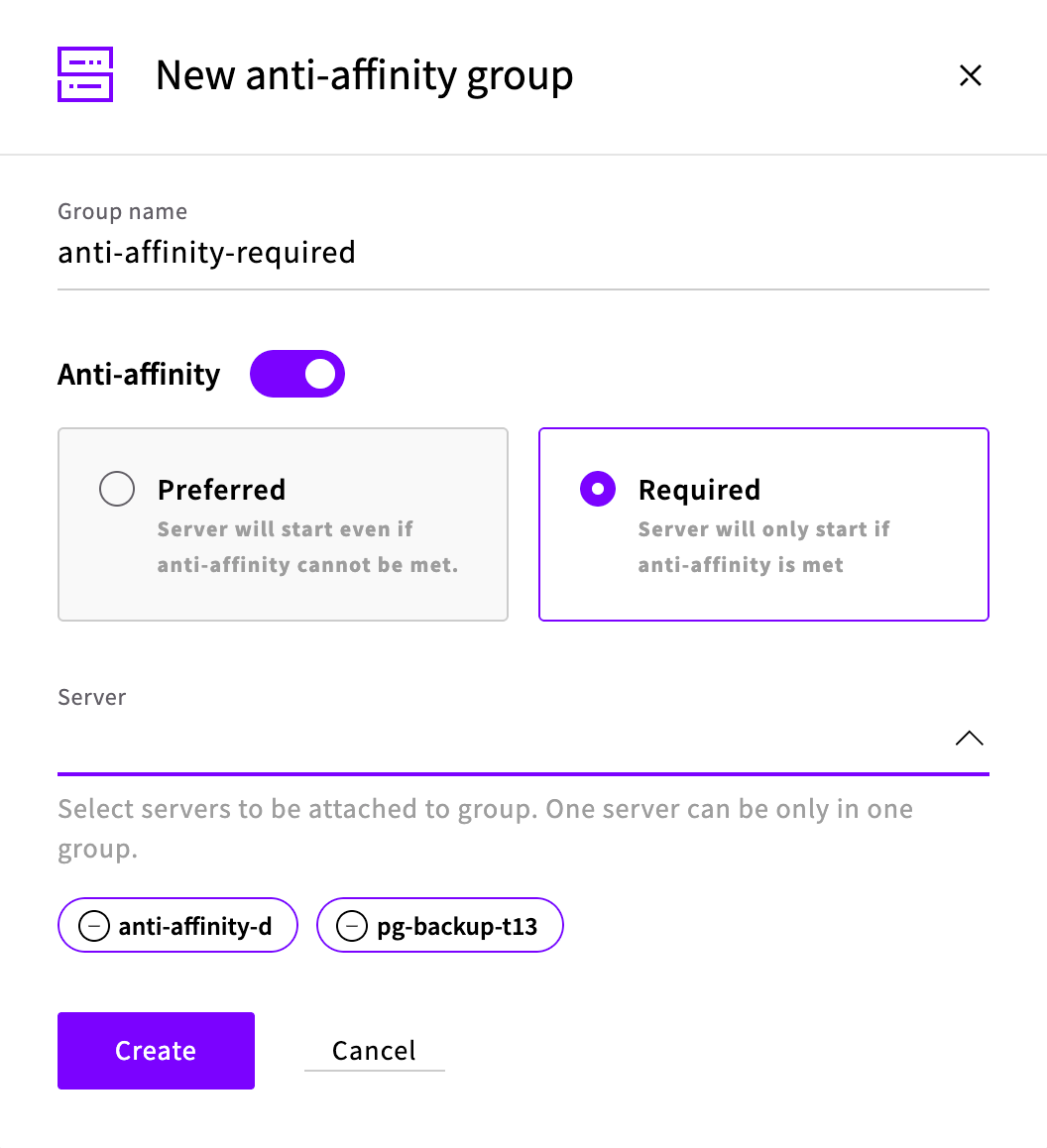
If you switch Anti-affinity off, the group only organizes servers, and the list shows its anti-affinity as Disabled.
Check that the servers are on separate hosts
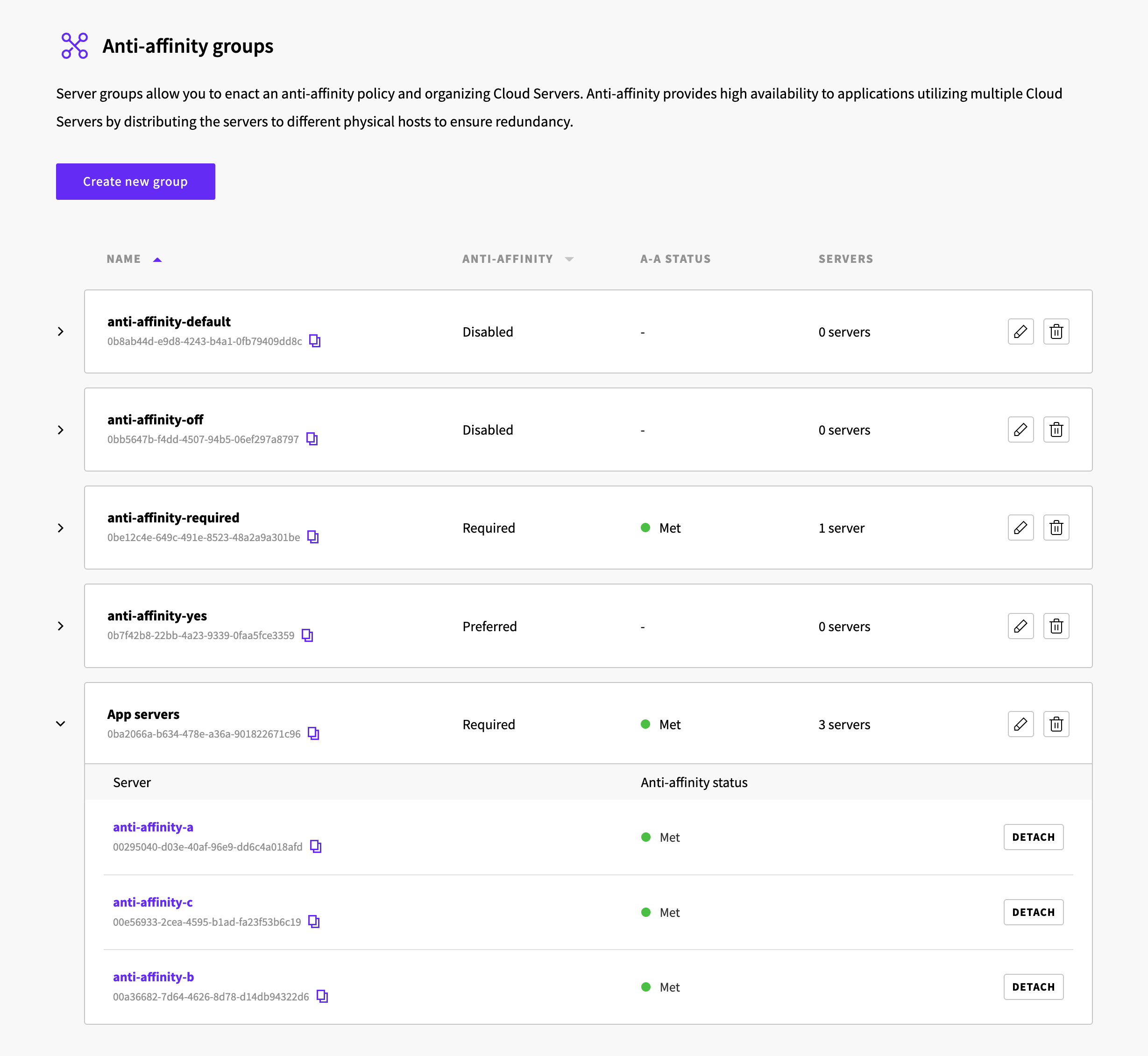
The A-A status column shows Met when no two servers in the group share a host. To see each server's status, click the arrow next to the group.
Add a server to a group
Click the pencil icon next to the group, select the server under Server, and click Submit.
If the group's policy is Required and the server shares a host with another server in the group, the Control Panel refuses to add it. Shut down the server, add it to the group, and then start it.
Move a server to another group
A server can be in only one group. To move it, expand its current group and click Detach next to the server. Then add it to the other group.
If a server shows Unmet
Shut down the server and start it again. The host is chosen each time a server starts from the stopped state.
Delete a group
Click the bin icon next to the group and confirm. The servers in the group keep running and are no longer in a group.