How to move a hostname to another Managed Load Balancer
You can move a hostname such as app.example.com from one Managed Load Balancer to another by changing its DNS record, for example to send your traffic to a load balancer in another location. This guide describes how to prepare the second load balancer so it serves the hostname with a valid certificate before you switch, and then how to move the hostname.
Before you start
You need:
- Two Managed Load Balancers, each with an HTTPS frontend that serves the hostname. They can be in different locations.
- A CNAME record for your hostname that points at the first load balancer's DNS name, for example
lb-0a1b2c3d4e5f6789-1.upcloudlb.com. - Access to your domain's DNS records at your DNS provider.
digandcurlon your computer.
Put the same certificate on both load balancers
Both load balancers need a valid certificate for the hostname before you switch. A dynamic certificate for a single hostname needs the hostname to point at the load balancer, so the second load balancer can't get one before you switch. Use a wildcard certificate with DNS validation, as below, or upload your own certificate to both load balancers. If your domain has CAA records, they must allow the certificate authority to issue wildcard certificates. See CAA records for automatically issued certificates. For more about certificate bundles, see Add SSL certificates to load balancers.
In the Control Panel, go to Load Balancer > Certificates and click Create certificates bundle.
Enter a Name and set Certificate type to Dynamic.
In Domain, enter the wildcard for your domain, for example
*.example.com, and click Add. The window shows the CNAME record that your domain needs.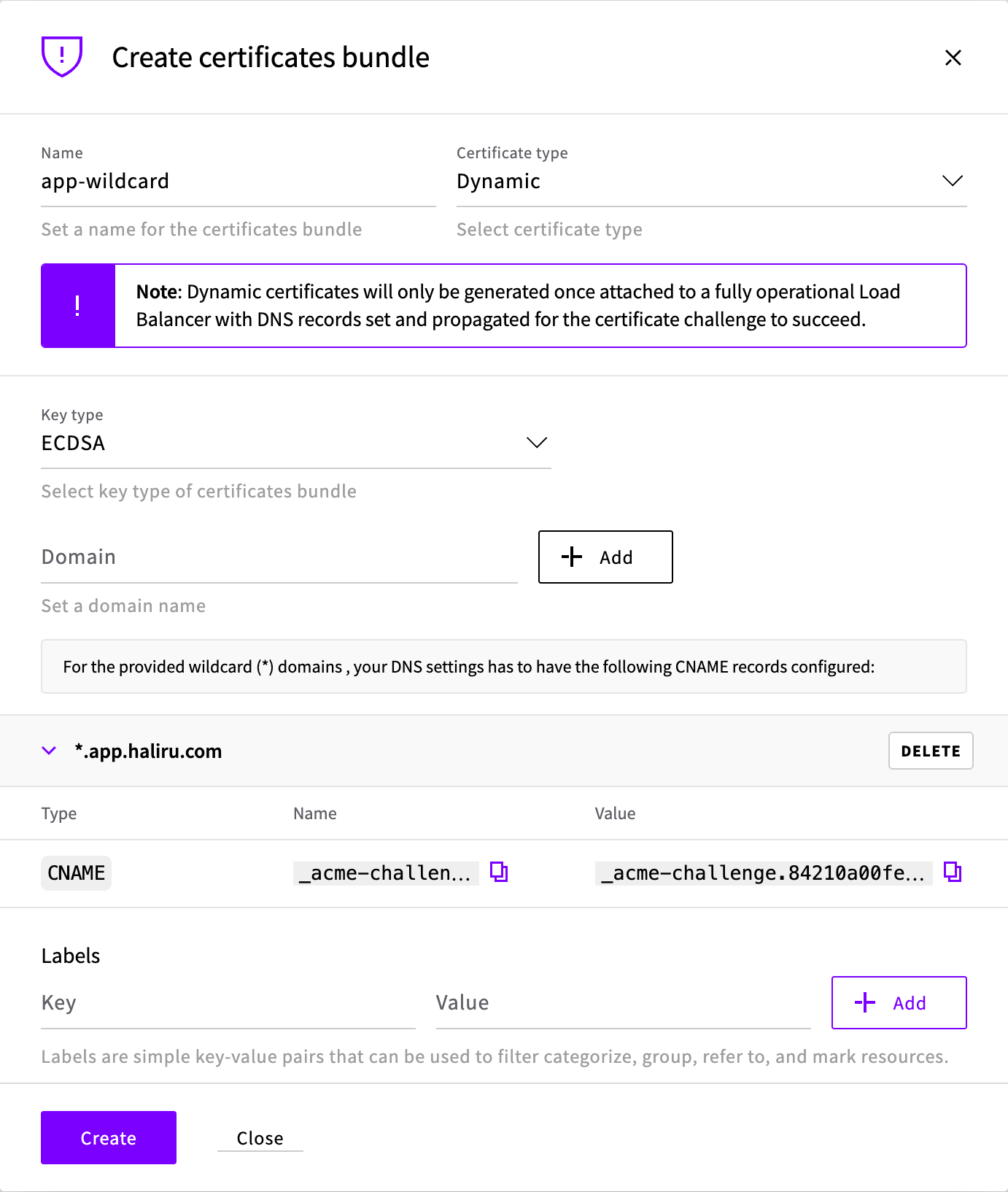
At your DNS provider, add the CNAME record. Then click Create.
Attach the bundle to the HTTPS frontend of each load balancer. Open the load balancer, go to Frontends, and click the pencil icon next to the HTTPS frontend. Under Certificates, click Attach certificate and select the bundle. Repeat for the other load balancer.
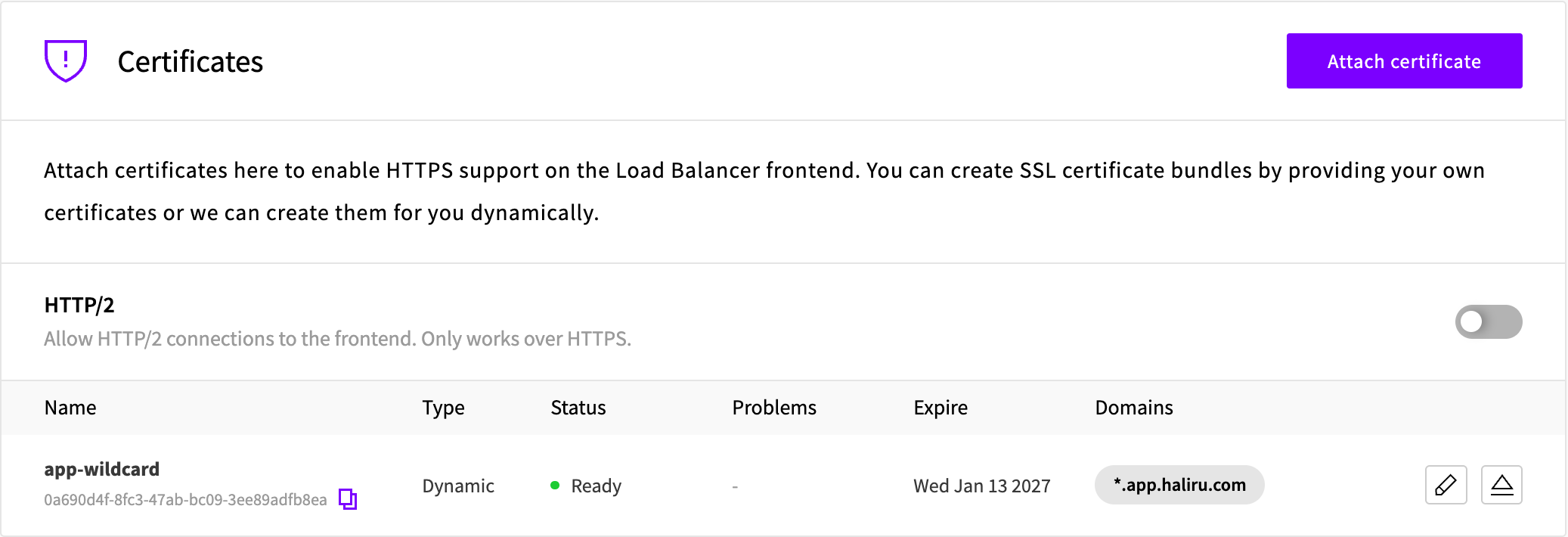
Check the bundle under Load Balancer > Certificates. The certificate is issued when its state is Ready and Expire shows a date. Issuing the certificate can take several minutes.
When the certificate is renewed, both load balancers get the new one. See Updating certificates.
Check the second load balancer
Before you switch, send a request for your hostname straight to the second load balancer. Use its DNS name and your hostname:
SECOND_LB_IP=$(dig +short <second-lb-dns-name> | head -1)
curl --resolve <hostname>:443:$SECOND_LB_IP https://<hostname>/
The request must complete without certificate errors.
Switch the hostname
Lower the TTL of your hostname's record, for example to 60 seconds, at least one current TTL before you switch.
At your DNS provider, change the record to point at the second load balancer's DNS name:
<hostname> 60 CNAME <second-lb-dns-name>Check the record:
dig +short <hostname> CNAME
Clients that respect the TTL reach the second load balancer within the TTL. Keep the first load balancer running until traffic to it has stopped. To move the hostname back, change the record to the first load balancer's DNS name in the same way.