How to upgrade a Managed Kubernetes cluster
Kubernetes regularly releases new minor versions, and each supported version is supported for a limited time. Upgrading a Managed Kubernetes cluster moves its control plane and its worker nodes to the next minor version, for example from 1.35 to 1.36.
This guide shows how to upgrade a cluster in the Control Panel or with the UpCloud API, how to choose an upgrade strategy, and how to check that every node runs the new version.
Before you start
You need:
- A Managed Kubernetes cluster running Kubernetes 1.30 or later, and
kubectlset up with its kubeconfig. Clusters running an earlier version can't be upgraded in place. To move your workloads to a new cluster instead, see Migrate workloads from one Managed Kubernetes cluster to another using Velero. - For the API steps, an API token. To create one, see How to get started using the UpCloud API.
Kubernetes removes some deprecated APIs in new versions. Before you upgrade, check that your manifests and Helm charts don't use APIs that the new version removes. The Kubernetes Deprecated API Migration Guide lists them by version.
How cluster upgrades work
You upgrade one minor version at a time. The upgrade moves the control plane to the new version first, and then the worker nodes, depending on the upgrade strategy you choose. An upgrade can't be undone.
Choose an upgrade strategy
Rolling update upgrades the control plane and then the nodes in every node group, one node at a time per node group. For each node, a new node with the new version joins the group, and then an old node is drained and removed. The pods on the old node are evicted and started again on other nodes, so a pod can move more than once during the upgrade.
Manual upgrades the control plane only. The nodes keep running the previous version until you replace their node groups, which lets you decide when each group's workloads move. See Upgrade the nodes yourself.
Manual is the default, both in the Control Panel and in the API. To have the nodes upgraded for you, choose Rolling update.
Either way, the new nodes are new servers, with new names and new IP addresses. If anything outside the cluster allows traffic from your nodes' IP addresses, for example the allowed IP addresses of a Managed Database, update it after the upgrade.
Keep your applications available
Both strategies drain nodes, so a workload with a single replica stops while its node is drained. For anything that must stay available, run at least two replicas spread across nodes, and add a PodDisruptionBudget so that a drain never takes too many of them down at once. For example, for a Deployment whose pods have the label app: web:
apiVersion: policy/v1
kind: PodDisruptionBudget
metadata:
  name: web
spec:
  minAvailable: 2
  selector:
    matchLabels:
      app: web
Upgrade the cluster
When a newer version is available, the cluster list shows Upgrade available next to the cluster's version.
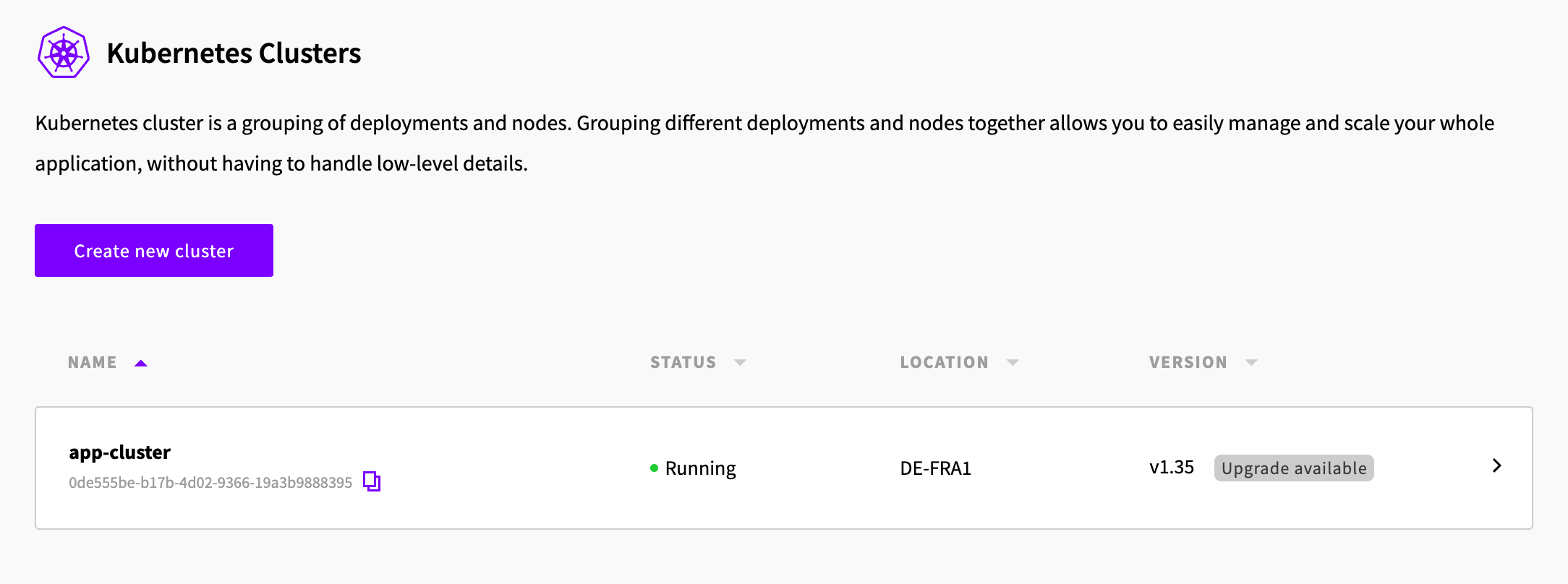
- Open the cluster and go to its Settings tab. You can also click Upgrade available! on the cluster's Overview tab.
- Under Upgrade version, choose the version to upgrade to.
- Under Select upgrade strategy, select Rolling update. To upgrade only the control plane, keep Manual.
- Click Upgrade, then Confirm.
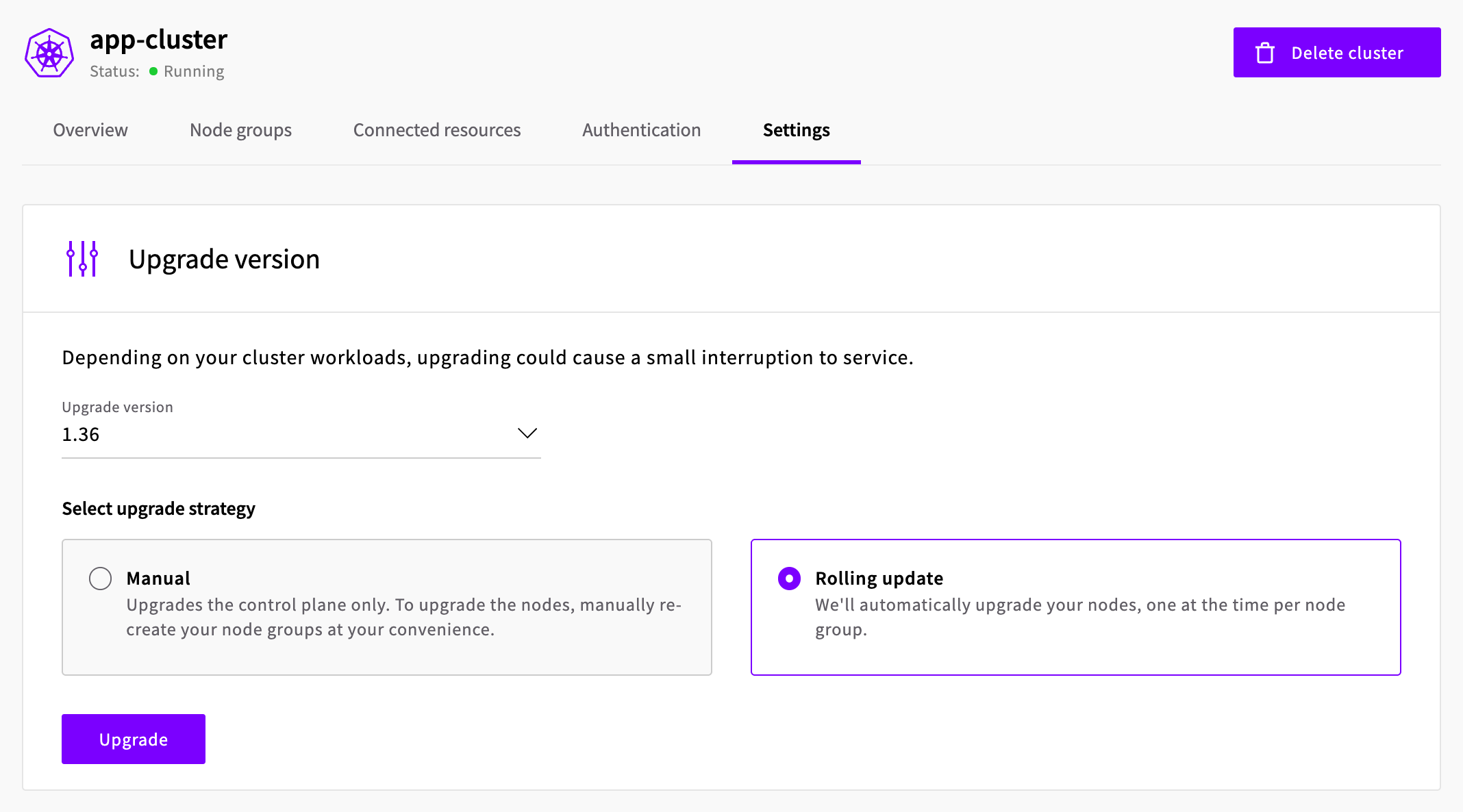
The cluster's status changes to Upgrade pending, then Upgrading, and then back to Running. The cluster shows the new version as soon as the control plane is upgraded. With a rolling update, the nodes are replaced after that, so check the nodes to see when the whole upgrade is done.
Check that the upgrade finished
The upgrade is complete when every node runs the new version. List the nodes and their versions:
kubectl get nodesNAME STATUS ROLES AGE VERSION
workers-96qtl-7nw95 Ready <none> 6m25s v1.36.4
workers-96qtl-hckdq Ready <none> 3m8s v1.36.4
workers-96qtl-pj4gz Ready <none> 84s v1.36.4In the Control Panel, open the cluster's Node groups tab, expand a node group and select Nodes to see the Kubelet version of each node.
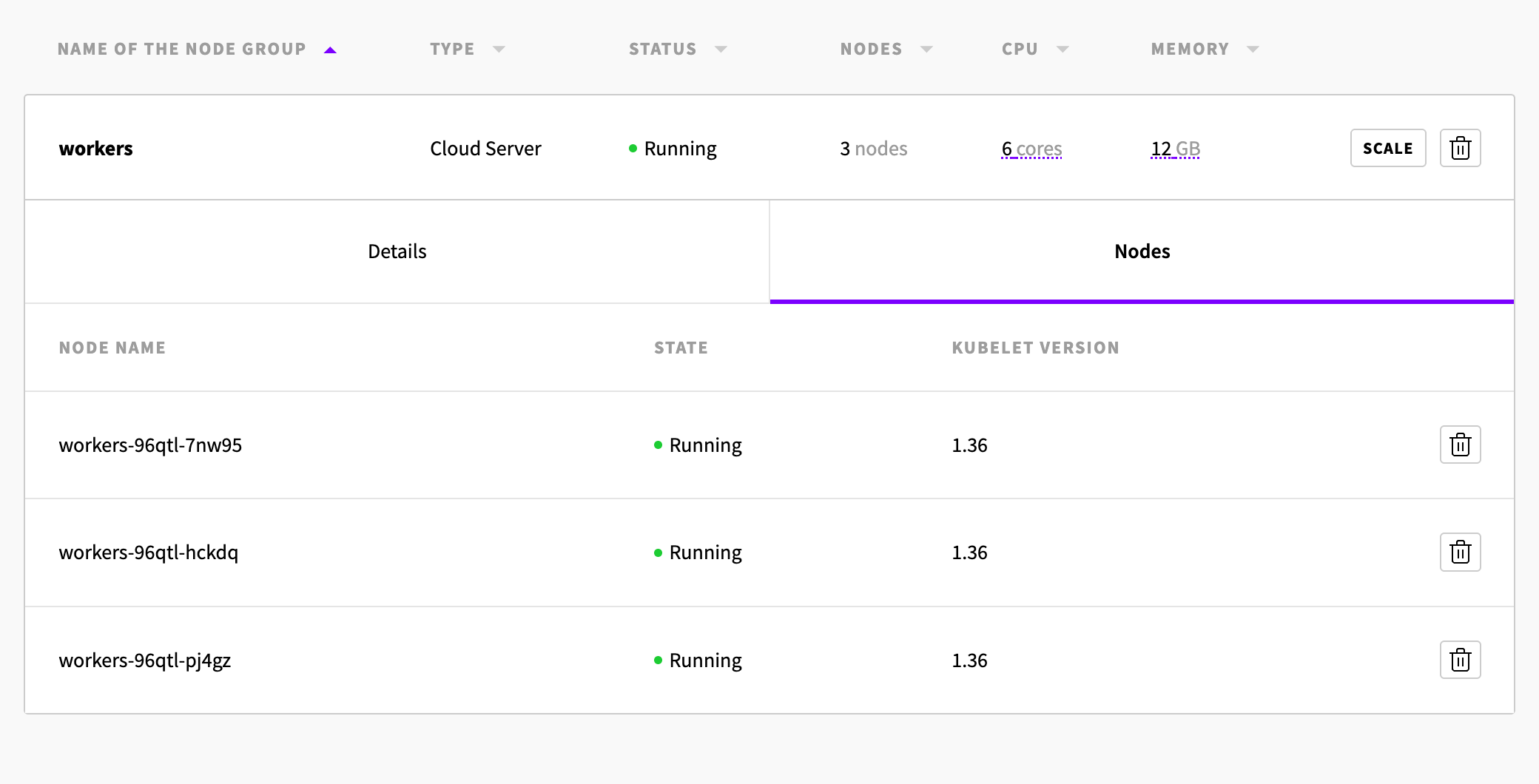
With the API, get each node group. Its nodes list includes the kubelet_version of each node:
GET /1.3/kubernetes/<cluster-uuid>/node-groups/workers{
"anti_affinity": false,
"count": 3,
"kubelet_args": [],
"labels": [],
"name": "workers",
"nodes": [
{
"kubelet_version": "1.36",
"name": "workers-96qtl-7nw95",
"state": "running",
"uuid": "001b036d-d81a-4f05-8199-1c8a249c8086"
},
{
"kubelet_version": "1.36",
"name": "workers-96qtl-hckdq",
"state": "running",
"uuid": "000e572c-bc9d-4085-b3f4-4909ca2097fa"
},
{
"kubelet_version": "1.36",
"name": "workers-96qtl-pj4gz",
"state": "running",
"uuid": "00f3d8ba-db55-45ba-97ab-a700d5172c25"
}
],
"plan": "PREMIUM-2xCPU-4GB",
"ssh_keys": [],
"state": "running",
"storage": "01000000-0000-4000-8000-000160170100",
"utility_network_access": true
}You can upgrade to the next version only when every node runs the cluster's current version. Until then, an upgrade fails with a "Cluster is not ready for upgrade" message that names the version every node must run.
Upgrade the nodes yourself
After a manual upgrade, the nodes keep running the previous version. To upgrade them, replace each node group with a new one. A new node group runs the cluster's current version.
- Create a new node group with the same settings as the old one, such as its plan, labels, taints, SSH keys and automatic node updates, and enough nodes for its workloads. Give it a new name, for example
workers-136. In the Control Panel, click Create a new node group on the cluster's Node groups tab. With the API, sendPOST /1.3/kubernetes/<cluster-uuid>/node-groups. - Wait until the new nodes are
Readyinkubectl get nodesand show the new version. - Delete the old node group. In the Control Panel, click the delete button next to it. With the API, send
DELETE /1.3/kubernetes/<cluster-uuid>/node-groups/<name>.
When you delete the old node group, its nodes are cordoned together and drained, and your pods start again on the new nodes. PodDisruptionBudgets still apply. Giving the new node group the same labels lets workloads that select nodes by label, for example with a nodeSelector, run on it. For more about moving workloads between node groups, see Changing the node plan.
Next steps
- Supported versions lists the Kubernetes versions you can run.
- How to keep Managed Kubernetes nodes up to date shows how to install operating system updates and Kubernetes patch releases on your nodes between upgrades.
- Scale a Managed Kubernetes cluster shows how to add and remove nodes.
Kubernetes is a registered trademark of The Linux Foundation.