How to upgrade Managed Valkey to a newer version
If your UpCloud Managed Valkey* service runs an older Valkey version, you can upgrade it to a newer one so that your applications can use the features and fixes of the newer release.
This guide walks you through upgrading a service in the Control Panel or with the UpCloud API, and checking that it runs the new version.
Before you start
You need:
- A Managed Valkey service that runs Valkey 8.1. The service's Overview tab shows the version in the Type field under Details, for example
Valkey 8.1.12. With the API,GET /1.3/database/<service-uuid>shows it inmetadata.valkey_version. - For the API steps, an API token. To create one, see How to get started using the UpCloud API.
- To check the version from Valkey itself,
valkey-clion a computer that can connect to the service. See How to get started with Managed Valkey.
Valkey 9.0 and 9.1 change how a few commands behave, mostly by checking requests and permissions more strictly. Before you upgrade a service that your applications depend on, read the Valkey 9.0 release notes and the Valkey 9.1 release notes for changes that affect them.
How upgrades work
You upgrade a service by changing its valkey_version property from 8.1 to 9.1. An upgrade can't be undone: you can't go back to the earlier version afterwards.
The service keeps running during the upgrade, so your applications can keep reading and writing through the same hostname and port. Meanwhile, the service replaces its nodes one at a time with new nodes that run Valkey 9.1. Each new node copies the data before an old node leaves. The service then switches its primary to one of the new nodes.
The upgrade keeps everything else about the service. Its keys stay with their expiry times, including data written just before the upgrade. Its users and their access rules, hostnames, allowed IP addresses, backups and other properties stay as they are too.
Keep your applications connected
Your applications keep working through the upgrade, except at the moment the service switches to the new primary. At the switch, the service closes the connections that are open, so a command that an application sends right then fails with a connection error, such as Connection closed by server., or a timeout. Client libraries such as valkey-py open a new connection by themselves on the next command. So that the failed command isn't lost, catch these errors in your application and send the command again. Every write that the service confirmed, before or after the switch, is kept.
Upgrade the service
Open the service and go to its Properties tab.
In the search box, type
valkey_version.Click the edit button next to
valkey_version, select9.1, and click the check mark to save.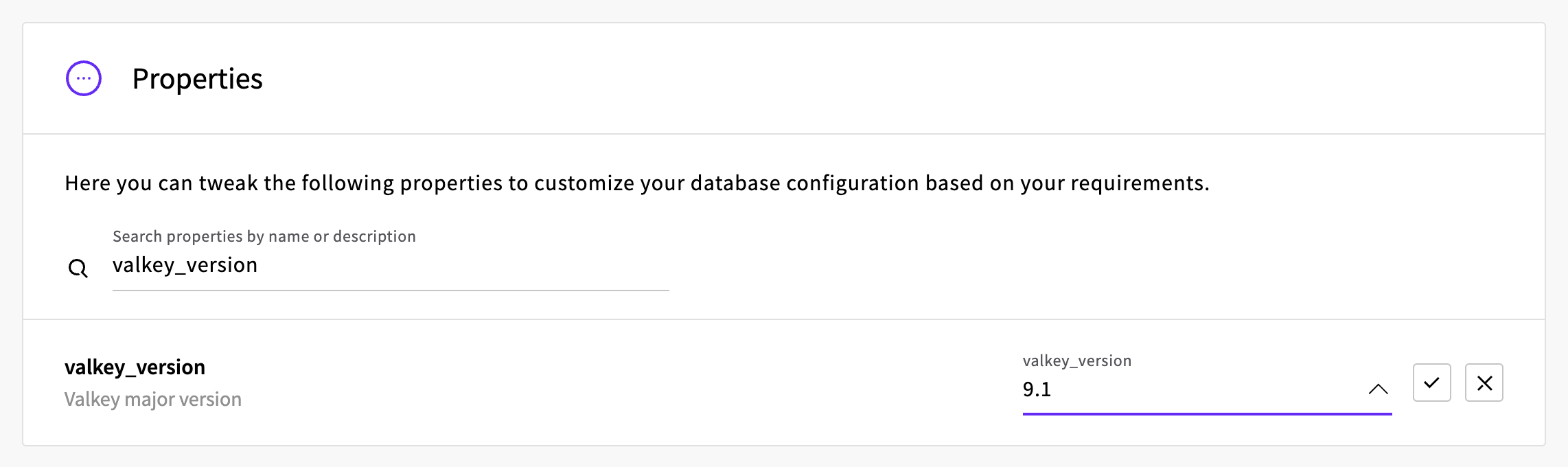
The Control Panel shows Database properties were updated successfully!, and the upgrade starts straight away. While it runs, the service's status shows Setting up network…, Rebalancing… and Rebuilding…. It changes back to Started once the upgrade has finished.
Check that the upgrade finished
Once the upgrade is done, check that the service reports the new version. In the Control Panel, the service's Overview tab shows it in the Type field under Details:
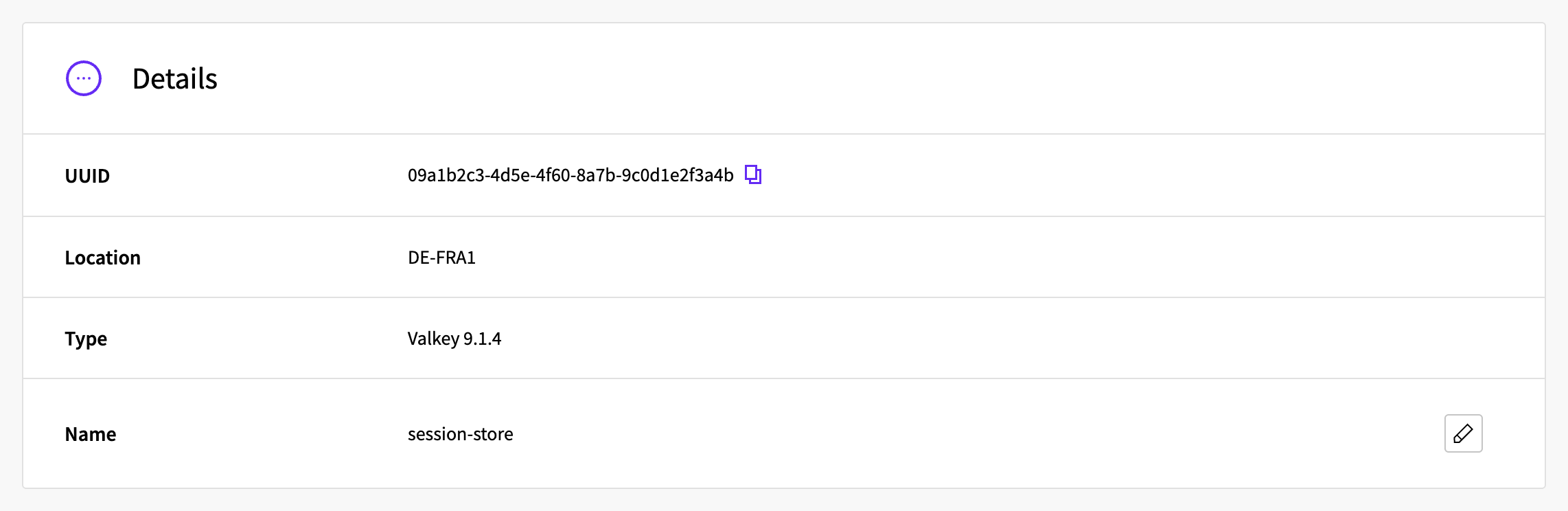
With the API, GET /1.3/database/<service-uuid> shows it in metadata.valkey_version:
{
  "metadata": {
    "plan_type": "plan",
    "valkey_version": "9.1.4"
  }
}
You can also ask Valkey itself with valkey-cli, set up as described in How to get started with Managed Valkey:
valkey-cli -u 'rediss://default:<password>@<hostname>:<port>' INFO server | grep valkey_versionWarning: Using a password with '-a' or '-u' option on the command line interface may not be safe.
valkey_version:9.1.4The warning appears whenever the password is part of the command.
Next steps
- How to migrate Redis or Valkey to Managed Valkey shows how to copy the data from Redis or Valkey that you run on a Cloud Server.
- Managed Valkey High availability describes how primary and standby nodes work.
- Managed Valkey Maintenance describes how maintenance windows work.
* Valkey and the Valkey logo are trademarks of LF Projects, LLC. Any rights therein are reserved to LF Projects, LLC. Any use by UpCloud is for referential purposes only and does not indicate any sponsorship, endorsement or affiliation between Valkey and UpCloud. Other names may be trademarks of their respective owners.