How to migrate onto MaxIOPS
If your storage devices use the Standard or Archive tier and you need more I/O performance, there is no need to manually migrate your data. You can move onto MaxIOPS by cloning the device.
The process is a bit more straightforward if you use our API, but can also be done in the UpCloud Control Panel.
Cloning storage in the Control Panel
To migrate onto MaxIOPS, you clone a backup of your storage device onto a new MaxIOPS device and then attach it to an existing or new server.
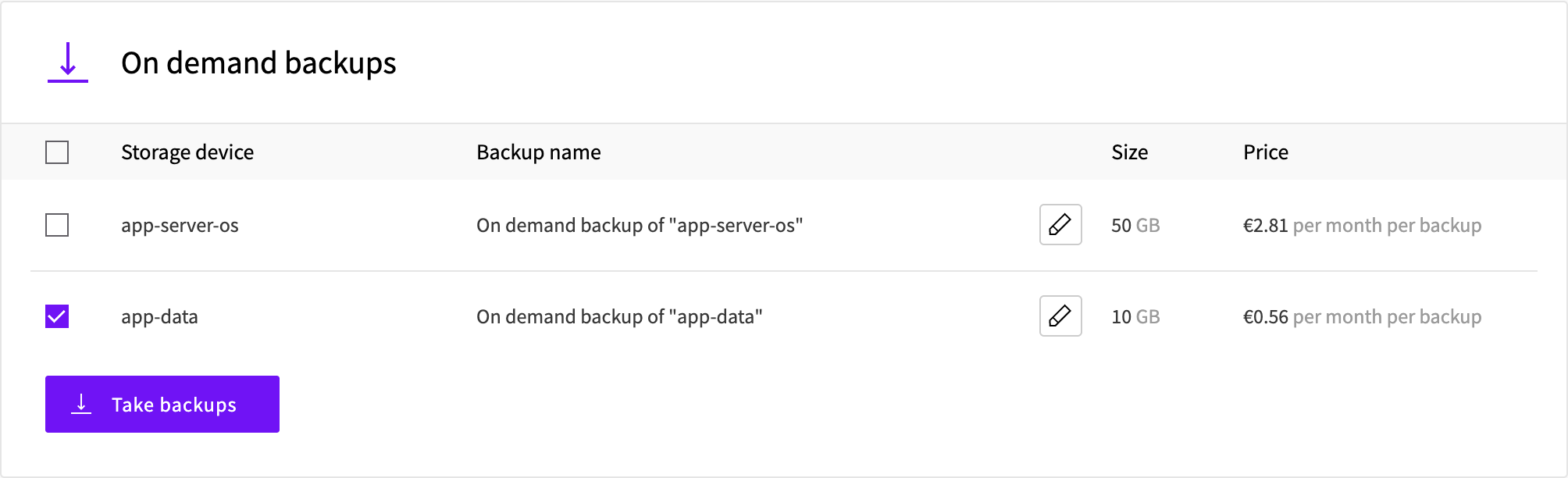
Go to your server's settings in the UpCloud Control Panel and open the Backups tab. Under On demand backups, select only the storage device you want to migrate and click Take backups.
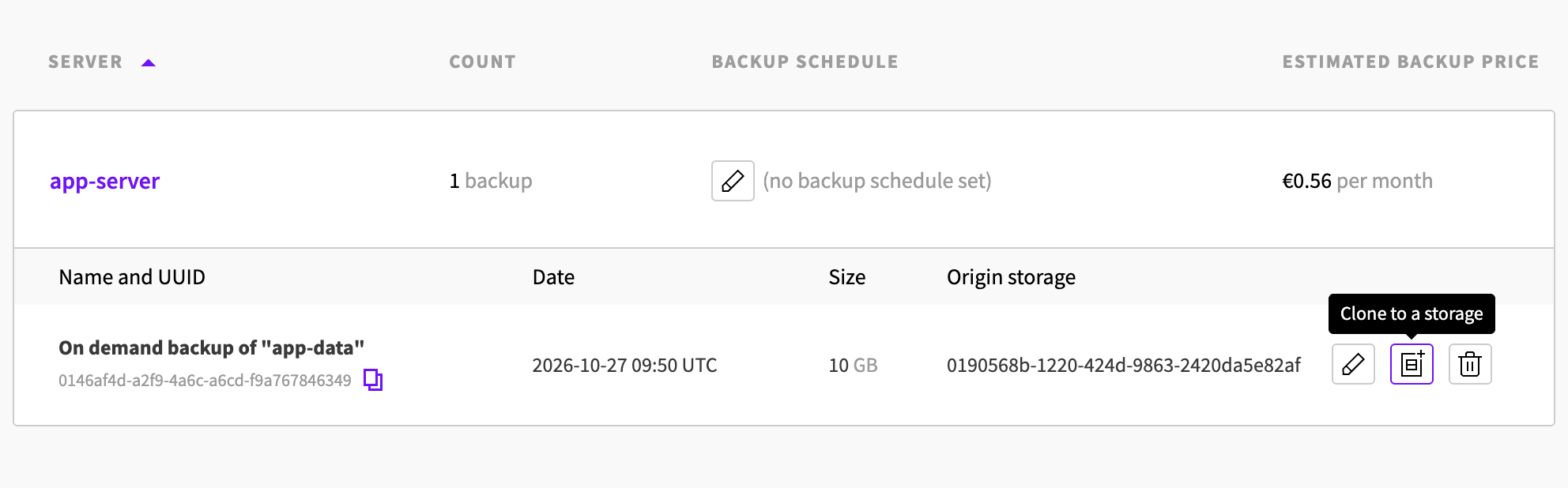
Then go to Block Storage > Backups and expand your server to list its backups. Click Clone to a storage next to the backup you just took.
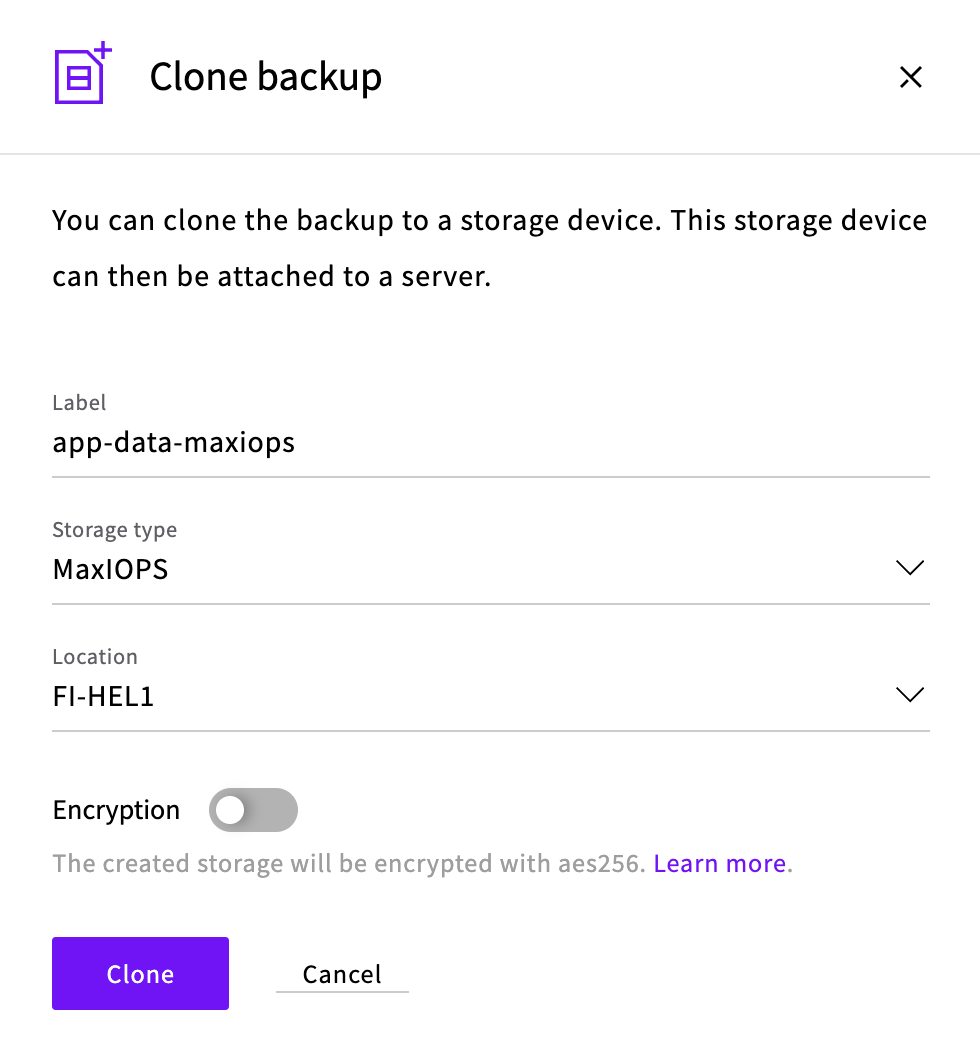
In the Clone backup dialog, enter a Label for the new device, set Storage type to MaxIOPS and click Clone. When cloning finishes, the new device is listed in Block Storage > Devices.
Since the cloning process creates a new storage device, you have two options depending on what the original device was used for.
You can attach the new MaxIOPS device to an existing server. For more information about attaching and detaching devices, see our guide for managing storage.
Alternatively, if the original device held the operating system, you can create a custom image of the clone and deploy it onto a new server.
After making sure that everything works with the new MaxIOPS storage, you can delete the old storage device and the temporary backup.
Cloning storage using the API
The Cloning Storage section of our API documentation describes cloning just the storage device. In a nutshell, you can clone storage with the following API request. Replace the {storage_uuid} with the UUID of the storage device you wish to clone.
POST /1.3/storage/{storage_uuid}/clone
{
    "storage" : {
        "zone" : "fi-hel1",
        "tier" : "maxiops",
        "title" : "Clone of operating system disk"
    }
}
The response will give you details such as the UUID of the new storage disk.
After the cloning process, you can attach the new disk to your server, detach the old disk and verify that everything is working. You may delete the old disk at your discretion.