Bring AI Search to Your PostgreSQL Database with pgvector Extension
-

-
About
- Type
- Blog
- Categories
- Cloud InfrastructureLong readsOpen Source
New - NVIDIA B200 & B300 Dedicated GPU Clusters | Explore GPU clusters
About
Posted on 16.6.2026
Artificial Intelligence (AI) is changing our world today. It introduced new requirements for our applications, one of which is the use of a vector database. What is a vector database? Why should we consider this for AI workloads? How does pgvector fit the engineering landscape? We will answer these questions in this article.
Without further ado, let’s start digging deeper into the fascinating world of AI.
A vector database is designed to index, search, and, of course, store vectors (also called embeddings). Vectors are numerical representations of data generated by AI models.
This means that databases do not store numbers or characters in a conventional way. Instead, information is converted to vectors. Any information, like documents, images, videos, or audio.
Similar meanings will create similar vectors.
Let’s see an example. The sentence “I love pizza” will be translated into vectors and will look similar to:
[-0.90, 0.12, 0.33]
Another sentence, like “I like burgers”, will end as relatively similar vectors. But the sentence “I like spaceflights” will generate greater differences, as the meaning differs. So, this means really that the same word can be a different vector in the database. If we have two uses of the word “cloud”, like:
“There are a lot of clouds in the sky today”
And
“I migrated my workloads to the cloud”
We use the same word “cloud”, but the meanings of those words are different. Therefore, the vectors will be different.
Traditional database searches work by matching strings (to simplify this for the purposes of this article). Embeddings can be searched by semantic meaning, which is important for AI tools like RAG.
To explain it simply, when a user asks “tell me, how to deploy kubernetes cluster?”, semantic meaning search through RAG is able to capture the document named “K8S deployment guide”. If we compare strings, almost nothing matches. But in the vector world, the semantic meaning is very close.
PostgreSQL is one of the world’s most popular relational database management systems (RDBMS). It is an open-source project known for reliability, performance, scalability, and a rich ecosystem of features and plugins.
It also has some specific downsides, such as strict limits on the number of possible database connections, which leads to the use of proxy tools (connection poolers) like PGBouncer.
But PostgreSQL is a relational database! And we already know that relational databases are not good for vectors! That is why we need pgvector.
Pgvetor is a PostgreSQL plugin or extension that adds support for storing and querying vector embeddings directly within a database. It doesn’t mean that pgvector changes PostgreSQL into a vector database. It extends a database with vector storage and capabilities, similar to those of vector databases, allowing vector workloads to coexist with relational workloads within the same database.
This approach has several benefits
This solution has limitations we need to be aware of. It is the relational database with an extension installed, after all. What do we need to be aware of?
pgvector on top can be considered as a solution when we want to keep the architecture simple. As we mentioned earlier, it doesn’t add much to the existing stack.
When scale and performance aren’t the issues, we can consider PostgreSQL with PGVector as a solution for AI workloads, including semantic search over documents, RAG systems for LLM applications, chatbots with internal knowledge bases, and recommendation systems. It should also work well for prototyping AI tools, MVP solutions, or startups that want to enter the market quickly.
Of course! UpCloud offers managed databases as a service, with PostgreSQL as one of the options.
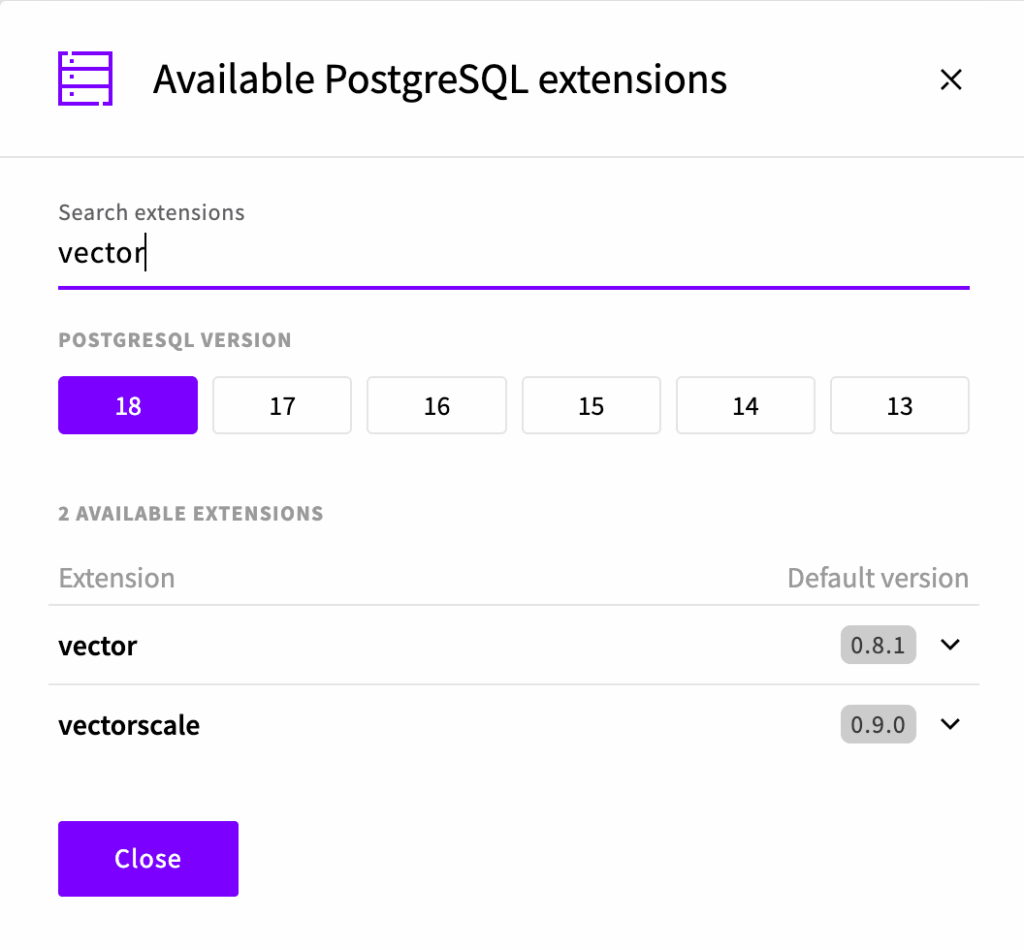
When we create the database, we can select extensions, where PGVector is available under the name vector. This is shown in the picture below.
To install the extension, we have to log in to the database and run the command
db=>CREATE EXTENSION vector;
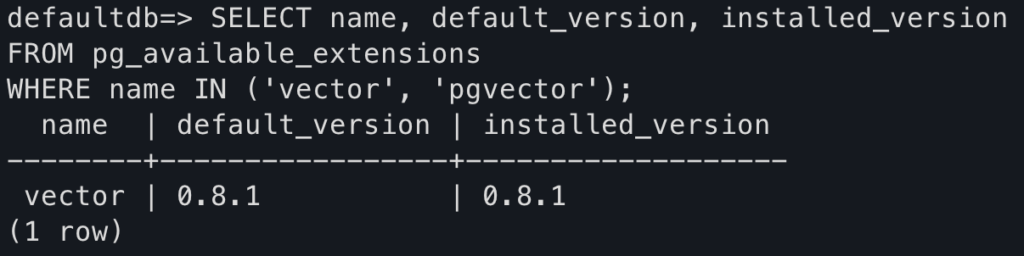
And that’s it! After successful installation, you should see the confirmation information after running a SELECT command:
If you are interested in the complete installation process, check this tutorial.
pgvector brings modern semantic search capabilities to a well-established, popular database. It allows teams to easily start building AI applications without increasing engineers’ cognitive load as they learn a completely new toolset.
When the limitations are recognized and addressed, PostgreSQL with pgvector gives teams a head start and enables them to deliver value.
For many real-world applications, such as RAGs, semantic searches, and recommendation engines, this extension makes PostgreSQL a highly effective and pragmatic choice.
Want to test out pgvectors in practice? Check out our tutorial on installing pgvector on UpCloud Managed PostgreSQL and get started!