What You Get When You Choose UpCloud’s Managed Databases
-

-
About
- Type
- Blog
New - NVIDIA B200 & B300 Dedicated GPU Clusters | Explore GPU clusters
About
Posted on 9 September 2026
You don’t have the time or the specialized knowledge to constantly keep an eye on your databases, right? I know the feeling: managing configurations, patching, provisioning, capacity planning, and performance monitoring can keep us incredibly busy. Yes, the database is the heart of the application, but we don’t want to spend too much time maintaining it.
The obvious solution is DBaaS – Managed Database service.
Of course, UpCloud doesn’t limit you to using only Managed Databases. For example, if you prefer to run an unmanaged database on its own Cloud Server, with all responsibility for provisioning, maintenance, and related tasks, you can do so.
In our article on What are Managed Databases, we discussed what the “managed” component of Managed Databases means. In this one, we will dig deeper into managed components in UpCloud’s Managed Databases offerings.
Let’s briefly explain what DBaaS means. It is an acronym that stands for “Database-as-a-Service”. The user doesn’t need to manage infrastructure or configuration, only responsible for the data. Everything that is managed by the vendor is described in the linked article.
At UpCloud, we understand that developers don’t want to commit time to provisioning and maintaining databases. That is why we offer managed services, which shift most of the maintenance burden from the developer’s shoulders to our dedicated and experienced team.
Flexibility of Managed Database Service starts with the choice of different database engines. UpCloud offers 4 different engines:
Relational databases
Non-relational databases
Depending on the database, we can choose from different versions of the database engine.
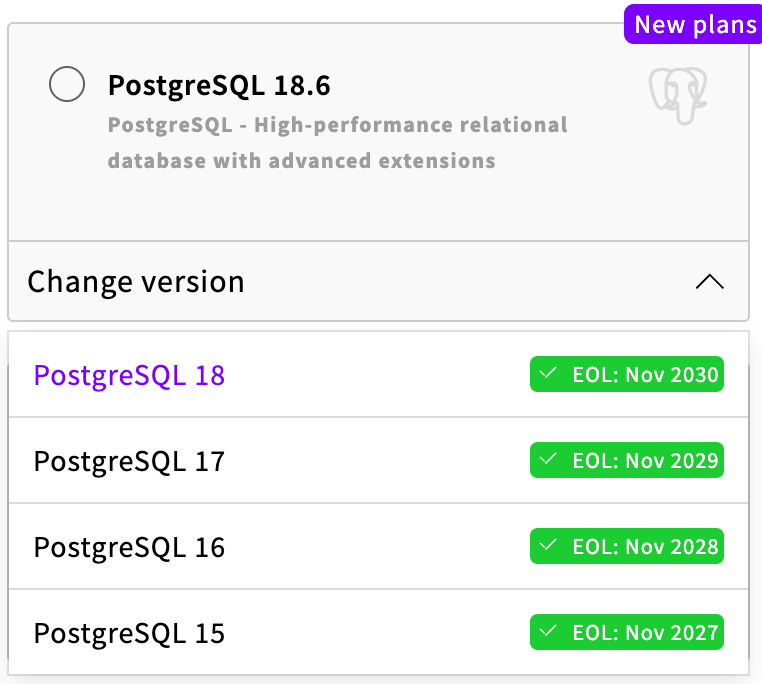
This is crucial for teams that aren’t ready to run the most recent version of the engine, whether due to stability requirements or technical debt.
While all engines are similar in their provisioning process via the GUI, API, SDK, or CLI, we need to remember that most of the examples in this article apply to PostgreSQL. Especially for OpenSearch and Valkey, the selection of nodes, options, etc., can be slightly different, due to engine specifics.
Databases must be run on some infrastructure. In a cloud environment, we sometimes run databases by purchasing a virtual machine and installing the database software ourselves. However, this doesn’t offer the benefits of using Managed Databases.
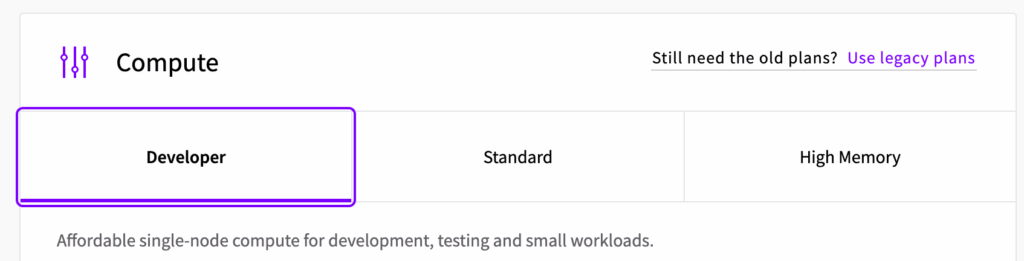
UpCloud offers many advantages with its plans, with infrastructure tailored to your needs. By selecting a plan family from the image above, you define our infrastructure needs, and within each family, we can select a specific plan.
For example, if you want to have a database for quick tests? Or a home project? You don’t need to plan these databases yourself. UpCloud’s Developer plans are affordable and give exactly what you might need – small, reliable databases we can quickly deploy and start using!
Why is this very important? What database do we have on production? One from Managed Databases offering? If so, why shouldn’t we perform any other work using a different managed database? All environments should be consistent, and this requirement extends to your databases as well.
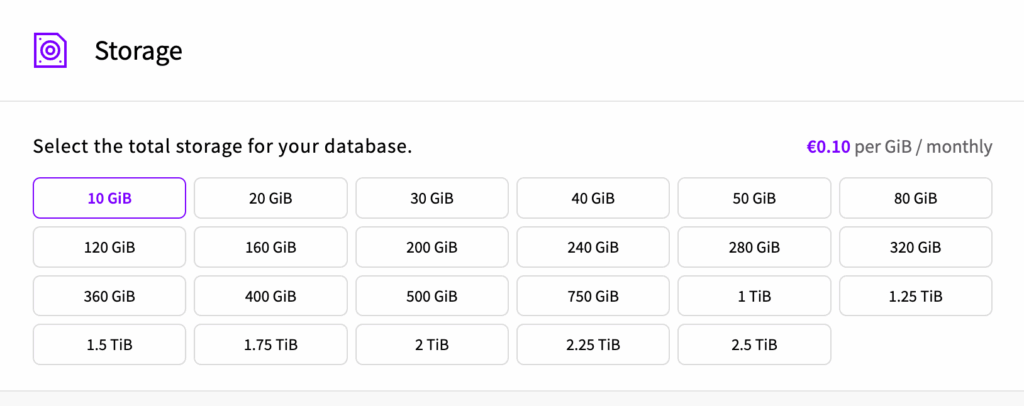
The size of the underlying instance is one thing. Equally important is storage for our data. upCloud offers an extremely easy way of selecting how much storage we need. It is literally one click.
The power of Managed services is that we can scale them very easily. Scaling here doesn’t just mean switching to a bigger host. Reliability here means how the infrastructure is deployed.
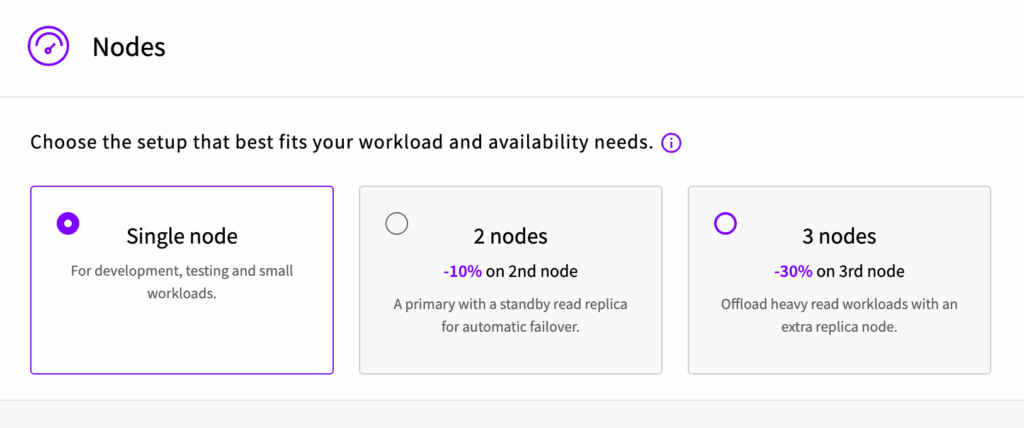
For small, private, or test environments, a single-node deployment is sufficient.
But for production-ready workloads, we want to achieve high availability, performance, resilience, and a high SLA, like 99.99%. For this, we need more nodes in the cluster. One node will act as the primary writer, while the others serve as readers. This approach avoids the write/read bottlenecks that are common in many applications.
UpCloud offers three options: one, two, or three nodes in your setup. Three nodes guarantee extreme performance and SLA for your application. It is important to note that the number of possible nodes in a cluster may vary based on the database engine.
Now we can think “ok, that sounds cool, but it will cost me bags of money, probably”.
Well, not necessarily. UpCloud’s plans have a variety of price ranges, starting at 9 Euros! With three nodes in your cluster, the cheapest offer is still affordable and worth considering. And we know the price immediately, we don’t even need to commit to anything, the price is shown in real time next to our selection page.
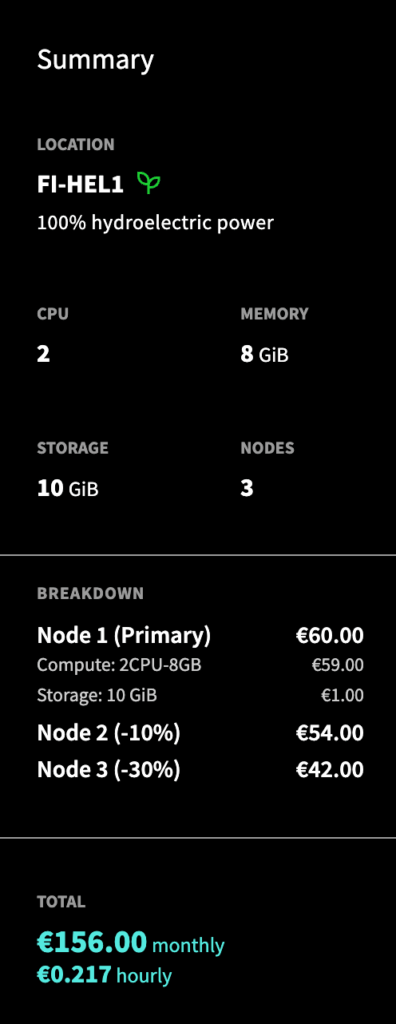
This is one of the biggest advantages of managed databases. Do we want to upgrade the engine version? Do we want to change something in the configuration? Is any security patching required?
Most of these will be done by the vendor’s team and for most of them we will not even notice that something happened. Especially if we run a multicluster setup.
One thing to explain, though. It is crucial how we design our application. If it is written in a way that causes the app to create a “hard connection” to the database, it will encounter an issue sooner or later. Probably sooner than later. We have to understand that in a cloud, dynamic environment, we have to write our code accordingly.
Too often, we saw situations when “something happened,” and we lost all our data from the database. No backup, no copy, no mirror, no replica. The problem is known and often presented in a humorous way – there are two types of people: those who don’t do backups, and those who do.
UpCloud’s Managed Database Service makes backups easier than ever.
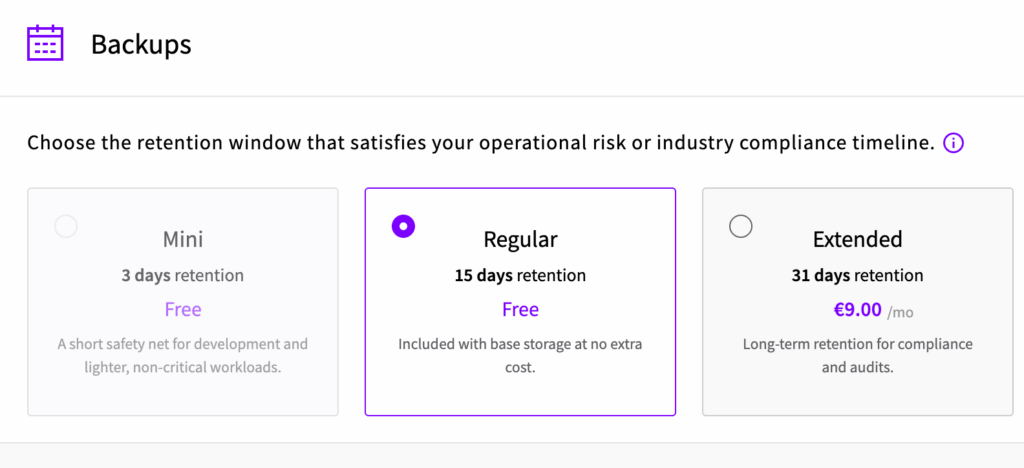
UpCloud gives us not only the ability to create backups but also to decide how we want to back them up. How many copies do we want to store, how often do we want to back up, and how long do we want to keep copies available?
The thing we need to understand is that a vendor like UpCloud doesn’t have any access to your data. These backups are done as snapshots of the whole block storage. The backups contain not only the data but also everything else, including engine configurations, users, and so on.
The truth is that there are three types of users. Those who don’t do backups, those who do, and those who actually test backups.
UpCloud gives you a simple, quick way to restore a backup as a new instance (or cluster). In a few clicks and in a few minutes (depending on the amount of data, of course), we can have a fully functional database, restored from backup and ready to serve connections.
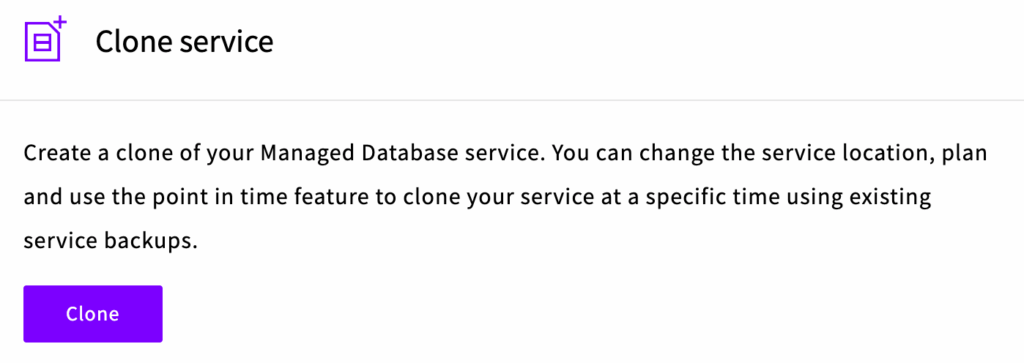
We can even move our database to a different region!
The clone/restore process is very simple:
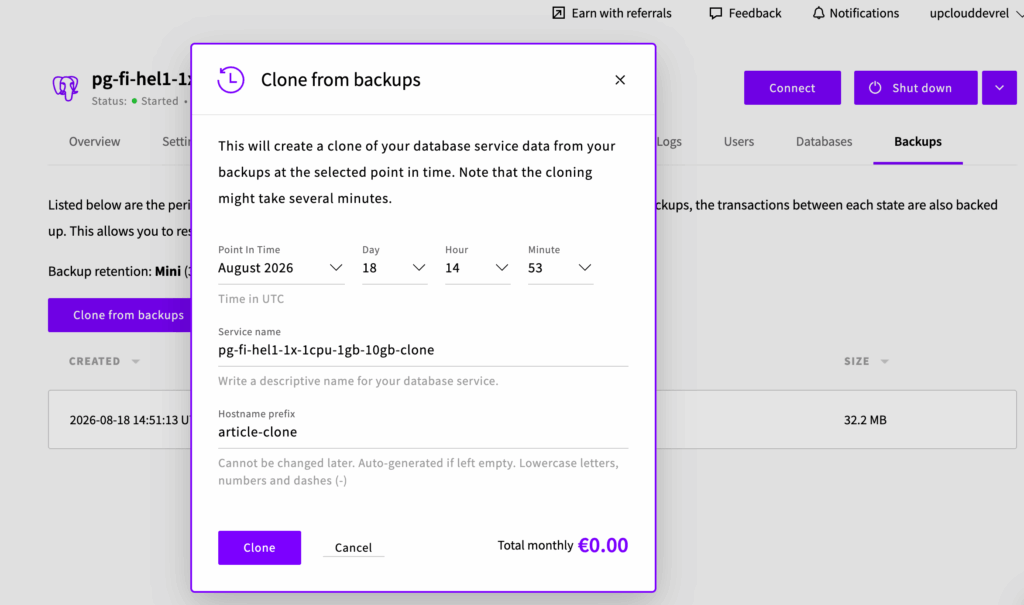
So now, with Managed Database, there is no excuse for not testing our backups!
Data must be secure. It is obvious to everyone. UpCloud takes the security of our data very seriously. Data at rest is encrypted by default. But this is just the start. What is available for us to configure?
To access the database, we need a connection string. This requires some knowledge of the host machine configuration as well as the database configuration.
UpCloud provides a quick way to retrieve your connection string, without requiring you to understand how it is built or configured. Rest assured, the connection is secured, the database is secured, and all these aspects are properly taken care of by the vendor!
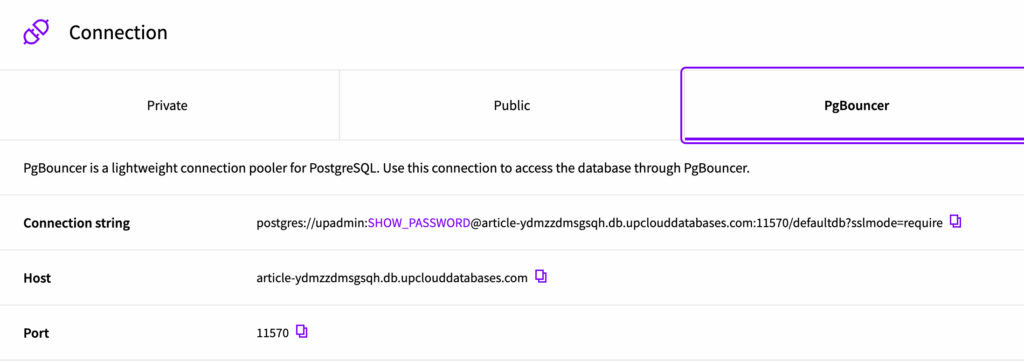
Everything that developers need to know about connecting to the database is here.
To access the database, we need a connection string and a user who can operate on it. As we can expect, different engines have different ways of creating users, maintaining them, and granting privileges to databases, tables, and other objects. UpCloud offers a simple, quick way to create and manage users in the Hub.
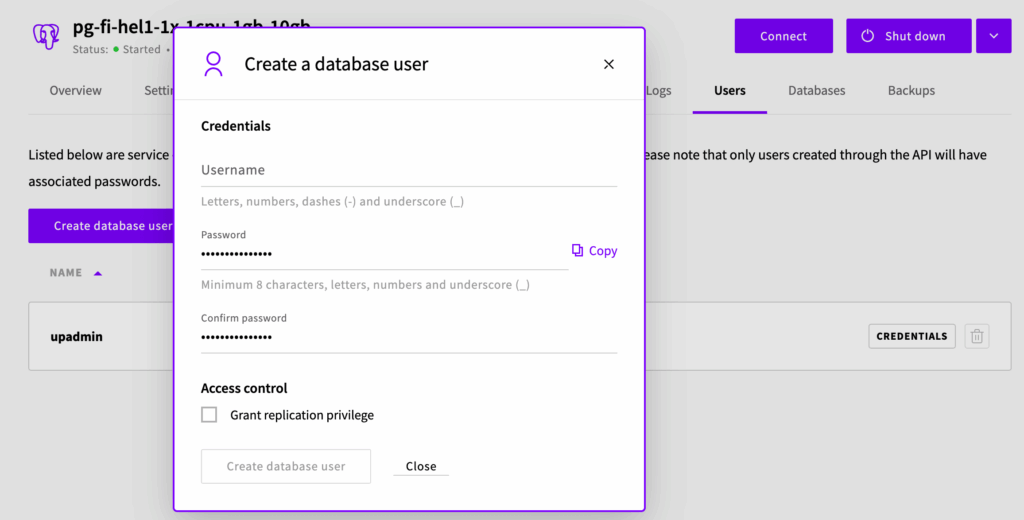
This makes the whole process easier and, most importantly, repeatable. We will talk about repeatability soon.
Developers are part of UpCloud’s DNA, and our DBaaS is no different. The entire lifecycle management of databases is very simple, and everything can be done through the Hub (UpCloud UI).
But that’s not all!
Developers rely on console tools, and UpCloud provides them for you! API compatible with the OpenAPI spec, a CLI tool called upcli that is really simple and easy to use, SDKs for many programming languages, and IaC tools.
Let’s stay for a second here. IaC is one of the most important principles of DevOps, SRE, and Platform Engineering teams. There is no repeatability and advanced management of cloud resources without IaC.
UpCloud offers a few ways to manage infrastructure with IaC. Crossplane integration, Pulumi, Ansible collections, and OpenTofu and Terraform providers. What is very important, we can export OpenTofu/Terraform configuration directly from UpCloud’s Hub!
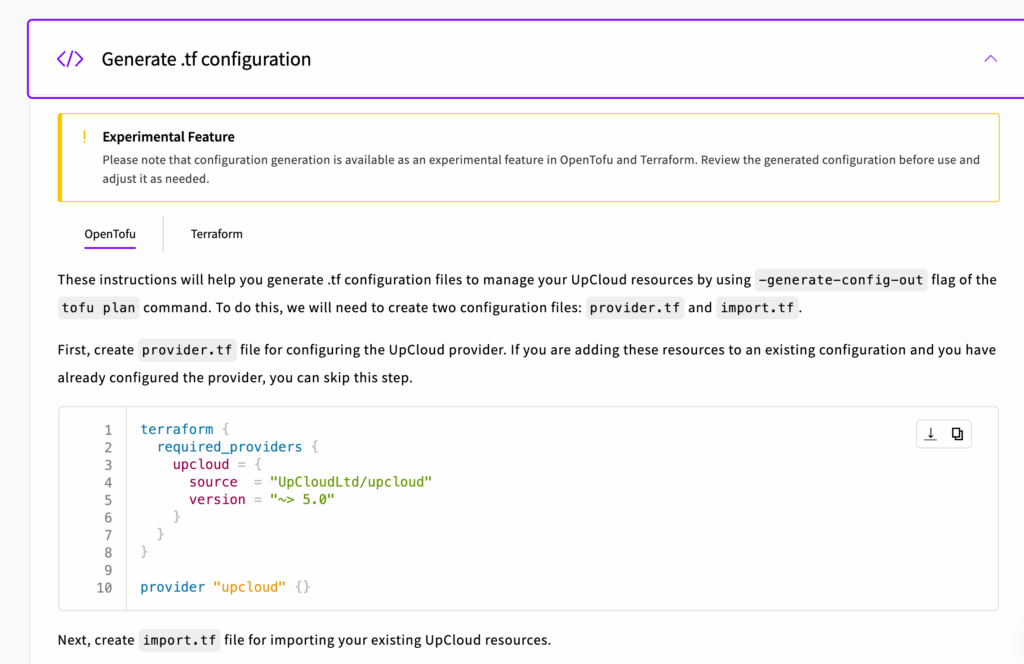
This means we can create the resources manually in the UI, and when we are ready, we can simply export the configuration as Terraform code. Very useful functionality, which should be used by every team!
Let’s explain one of the misleading concepts here. Sometimes we see that storage is 10GB; sometimes 10 GiB. Well, it is not the same thing, but written differently or by mistake.
GB is a decimal description. 1GB is equal to 1,000,000,000 bytes, and it is used mainly to provide the size of the memory.
GiB describes disk size; it is a binary unit, better suited to how hardware counts space. 1GiB is equal to 1,073,741,824 bytes.
When we look at Managed Databases offerings (not only at UpCloud) this is exactly what we will see – machines with some memory size, counted in GB and storage, counted in GiB.
Choosing a Managed Database was never just about the database itself; it is about what comes with it – configuration options, maintenance services, and so on. With UpCloud, that list is long, no patching scheduled, no ad-hoc security patching, no failover problems, no backups to manually make and check.
What you get is a production-ready, replicated, and encrypted service that handles backup procedures on your behalf. And easily wired into the developer’s ecosystem with dev tools.
With UpCloud’s Managed Databases, we don’t just get a database. We get our time back, along with a vast experience in running and maintaining databases. And all of it is available starting for less than 10 Euros.
Would you like to learn more about UpCloud’s Managed Database offering? Check out our Managed Databases page, and if you have any questions, contact our team anytime!