New features: Initialization scripts, SSH keys, and increased resource limits
-
About
- Type
- Blog
- Category
- Product Updates
About
Posted on 4 July 2016
We are excited to announce the release of several highly requested features that will provide you with additional tools to automate and manage your cloud infrastructure with even greater ease and scale.
When deploying a new cloud server, your first 5 minutes usually consists of the same set of initial tasks. Now those tasks are easier than ever to complete using a new feature called Initialization scripts. An initialization script will get executed on your cloud server when it boots up the first time and the use cases are plenty: install security updates, configure software, upgrade OS-components – the list goes on…
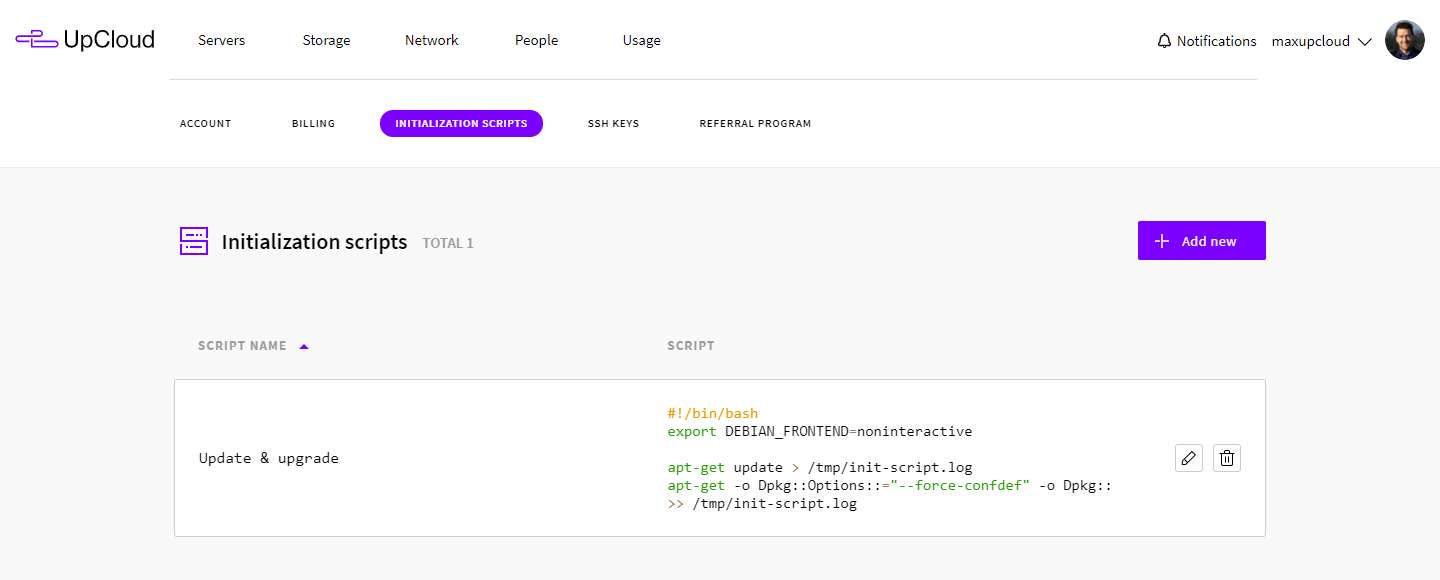
Initialization scripts also support CoreOS’ Cloud-config format and you simply only need to begin the script with #cloud-config to use it. And if the initialization script contains only a single line which begins with http:// or https:// the content is used as a URL address from which the script is fetched and executed during the cloud servers first boot.
You can create and access all your initialization scripts at your control panel.

To make it easier to manage access to your cloud servers, we have added a simple way to add all your SSH keys to the control panel and have them added to the cloud server as it gets deployed. This allows you to disable password-based access and restrict it to specific SSH keys before the cloud server even gets any network access, keeping your server secured.
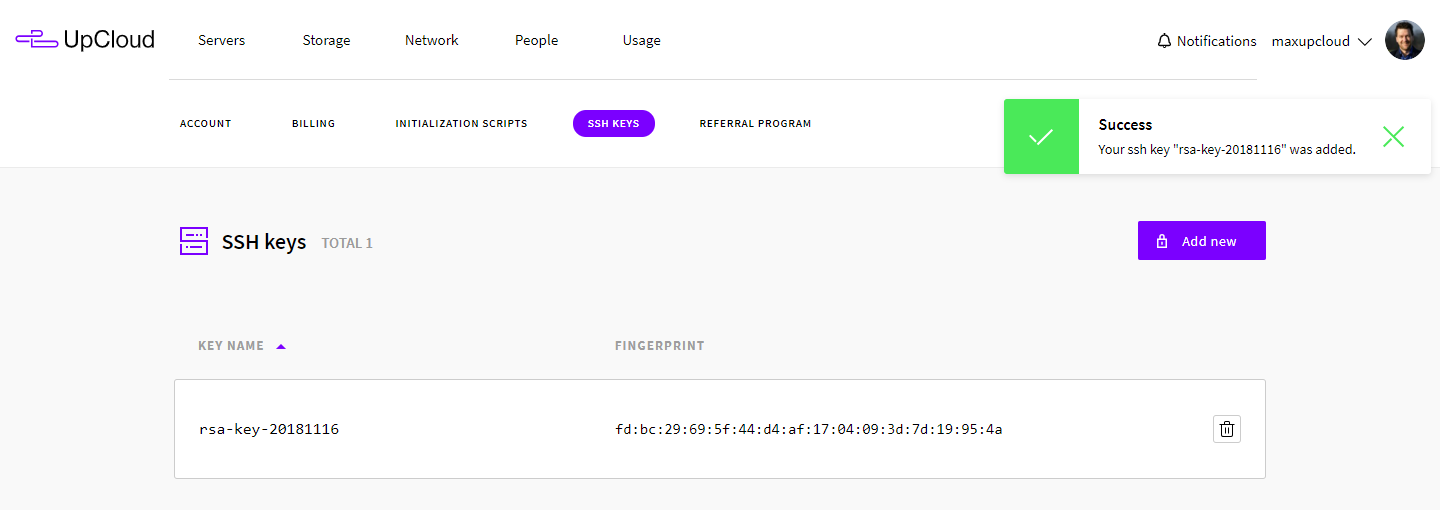
View and manage your SSH keys in your control panel.
To accommodate our quickly growing user base and better meet the challenges of our users, we have made significant infrastructural upgrades behind the scenes. Tl;dr is that is has allowed us to double the maximum amount of CPU cores, memory and disk size that you can configure your cloud server with.
| Resource | New limit | Previous limit |
| CPU-cores | 20 cores | 10 cores |
| Memory | 128 GB | 64 GB |
| Storage (MaxIOPS and HDD) | 2 TB per disk | 1 TB per disk |
This update provides a significant capacity upgrade for many of our users!
It is now possible to add a comment to each firewall rule, both in the control panel and via our API. This allows you to specify the reason why a rule was created, either for yourself to remember for later or so other users of your account can see it when, for example, troubleshooting.
We are continuously adding new things to our Github, where you can find our open source Ansible module, Python API client and soon to be much more. We love getting feedback from you, so feel free to create issues and submit pull requests!


Discussion